
Every small business owner with a website has heard the same advice: "you need to blog consistently to rank in Google." Fewer people tell you how hard that actually is to sustain. Writing takes time, SEO research takes expertise, and publishing on a schedule takes discipline most people running a business simply don't have left over at the end of the day. That gap is exactly why an AI article generator for CMS platforms has become one of the most practical tools a business owner can adopt in 2026.
Unlike a generic AI writing tool that hands you a block of text to copy and paste, a CMS-connected article generator closes the entire loop — research, writing, formatting, and publishing — directly inside the content management system you already use, whether that's WordPress, Shopify, Webflow, Wix, Ghost, or Framer.
What an AI Article Generator for CMS Actually Does
At its core, this category of software automates the full lifecycle of blog content instead of just one slice of it. Traditional AI writing tools stop at the draft. You still have to format the post, add it to your CMS, optimize the metadata, and hit publish — every single time, for every single article. That's a lot of manual labor hiding behind the word "automation."
A true CMS-integrated generator removes that manual labor entirely. It typically handles:
- Keyword and topic research based on your niche, competitors, and search demand
- Content calendar planning so posts go out on a predictable cadence
- Full article writing with proper structure, headings, and internal linking
- On-page SEO formatting including meta titles, descriptions, and slugs
- Direct publishing into your CMS without copy-pasting a single word
- Ongoing scheduling so the blog keeps growing without you logging back in
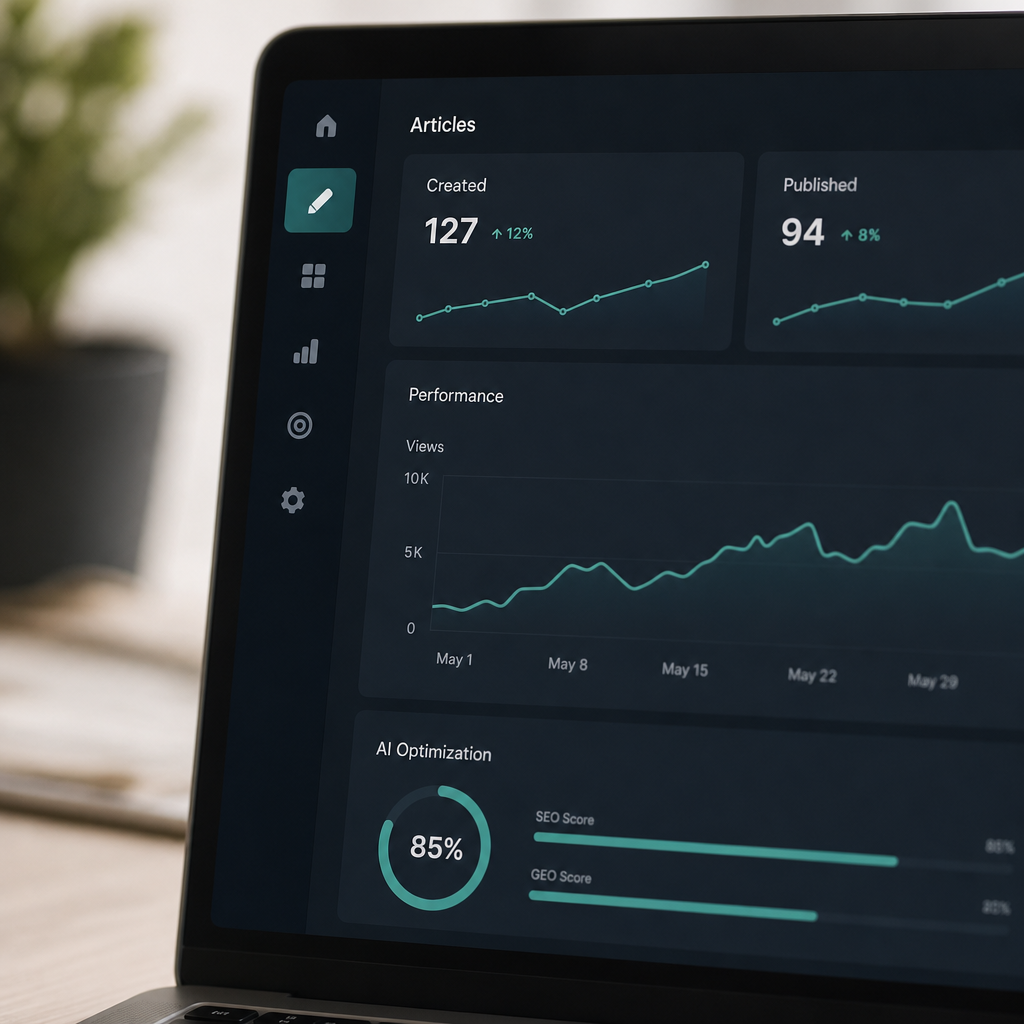
This is the model FrontRank is built around: connect your CMS once, and the system builds your calendar, writes the articles, and publishes them automatically on a daily schedule. There's no API key to configure and no writer to brief — the entire workflow lives inside one connected pipeline.
Why Businesses Are Moving Away From Manual Blogging
Search engines and AI assistants both reward sites that publish fresh, relevant, well-structured content on a consistent basis. Google's own guidance on helpful content emphasizes depth, originality, and consistency — qualities that are hard to maintain when blogging is squeezed into whatever spare hour a business owner has left in the week.
The old paths to consistent content all have the same weakness: they depend on a human doing manual work every single time.
- Hiring an in-house writer means salary, management overhead, and training time before you see a single published post.
- Working with a freelancer means briefs, revisions, and inconsistent delivery schedules.
- Using an SEO agency often means retainers starting in the thousands per month for a handful of posts.
- Writing it yourself means it gets bumped every time something more urgent comes up — which is most days.
An AI article generator for CMS platforms solves the actual bottleneck, which isn't creativity — it's throughput. Most business owners don't lack ideas; they lack the hours to turn ideas into 1,500-word, well-researched, properly formatted, published articles, week after week, indefinitely.
How the Technology Works Behind the Scenes
It helps to understand what's actually happening when you connect a CMS to an automated article generator, because the mechanics explain why this approach scales where manual methods don't.
Step 1: CMS Connection. Instead of requiring a developer to generate and manage API keys, modern tools like FrontRank use one-click OAuth-style connections. You authorize the platform the same way you'd connect any app to Google or Shopify — no technical setup required.
Step 2: Topic and Keyword Discovery. The system analyzes your website, industry, and competitor content to identify keyword opportunities with real search intent, rather than guessing at topics. This draws on the same kind of structured keyword and SERP data that professional SEOs use through tools like Ahrefs or Semrush, but without requiring you to learn those platforms yourself.
Step 3: Calendar Construction. Rather than publishing one article and stopping, the generator builds a forward-looking calendar — often 30, 60, or 90 days out — that spreads topics across subtopics, buyer intents, and seasonal relevance.
Step 4: Drafting and Formatting. The article is written with proper heading hierarchy, internal links, image placement, and metadata — the same on-page elements a trained SEO content writer would include manually.
Step 5: Automatic Publishing. The finished post goes live on your CMS on schedule, with no review step required (though most platforms allow one if you want it).
Comparing CMS-Integrated AI Generators to Other Content Options
It's worth putting the numbers side by side. The table below compares typical costs and time commitments across the main ways businesses currently produce blog content.
| Method | Typical Monthly Cost | Time Required From Owner | Publishing Consistency | SEO Structure Included |
|---|---|---|---|---|
| In-house writer | $3,000–$5,500+ | High (hiring, managing) | Depends on staffing | Only if writer is trained in SEO |
| Freelance writer | $800–$3,000 | Medium (briefs, edits) | Inconsistent | Varies by freelancer |
| SEO agency retainer | $1,500–$6,000+ | Medium (calls, approvals) | Usually consistent | Yes |
| Generic AI writing tool | $20–$100 | High (prompting, editing, publishing) | Depends entirely on owner | Manual, often skipped |
| AI article generator for CMS (e.g. FrontRank) | Flat low monthly rate | Minimal (one-time setup) | Automatic, daily/weekly | Built in |
The difference that matters most for busy owners isn't just price — it's the "time required from owner" column. A generic AI writing tool can produce a draft in seconds, but if you still have to edit it, format it, and manually publish it every time, you've only automated the easiest 20% of the job.
Comparing CMS Compatibility
Not every content tool supports every platform, and this matters a great deal for agencies managing multiple client sites on different systems. Here's how compatibility typically breaks down across popular CMS platforms.
| CMS Platform | Common Use Case | Native Blog Support | Direct AI Publishing Common? |
|---|---|---|---|
| WordPress | Small business, blogs, agencies | Strong | Yes, widely supported |
| Shopify | eCommerce stores | Basic blog engine | Increasingly common |
| Webflow | Design-forward business sites | Strong CMS collections | Growing support |
| Wix | Small business sites | Built-in blog app | Limited but expanding |
| Ghost | Content-first publishers | Strong | Supported by specialized tools |
| Framer | Modern marketing sites | Newer blog support | Emerging |
FrontRank is one of the few tools built to publish across all six of these platforms from a single connected account, which matters enormously for agencies managing content across multiple client sites that aren't all standardized on the same CMS.
What to Look for Before Choosing a Tool
Not every "AI content tool" that claims CMS integration actually delivers hands-off publishing. Before committing, business owners and agencies should check for a few specific capabilities:
- True one-click connection — if the setup process requires generating API keys or involves a developer, it isn't really built for non-technical users.
- Calendar automation, not just single articles — a tool that only generates one post at a time still leaves you responsible for planning and consistency.
- Keyword research built in — if you have to bring your own keyword list, you're doing the hardest strategic part yourself.
- Direct publishing, not export files — downloading a Word doc or HTML file to upload manually defeats the purpose of automation.
- Support for your specific CMS — confirm the platform actually publishes to WordPress, Shopify, Webflow, Wix, Ghost, or Framer rather than only a generic "export" option.
- Multi-site management — agencies especially need the ability to run several client blogs from one dashboard rather than juggling separate logins.
This is also where the difference between "AI content" and "AI content that performs" becomes important. According to Backlinko's ranking factors research, content depth, relevance, and consistency over time remain strong correlates with organic visibility — meaning a tool that publishes sporadically or produces shallow, generic posts won't move the needle even if it's technically "automated."

The GEO Angle: Getting Cited by AI Assistants, Not Just Ranked by Google
Search behavior itself is shifting. A growing share of people now ask ChatGPT, Perplexity, or Google's AI Overviews a question instead of typing a keyword into a search box. This has given rise to a new discipline sometimes called Generative Engine Optimization (GEO) — optimizing content so AI assistants are likely to cite your business as a source.
The mechanics overlap heavily with traditional SEO but add a few additional priorities:
- Clear, well-structured answers that AI models can extract and summarize easily.
- Topical depth across a cluster of related articles, not just one strong page.
- Fresh publishing dates, since generative engines tend to favor recently updated sources.
- Consistent entity signals — your business name, services, and location mentioned clearly and repeatedly across content.
A blog that publishes daily or weekly on a consistent topic cluster builds exactly the kind of depth and freshness that both Google and AI assistants are looking for. This is a key reason FrontRank frames its product not just as an SEO tool but as infrastructure for showing up in both traditional search results and AI-generated answers — a blog that's actively maintained rather than a handful of posts from a design agency onboarding checklist, abandoned after month one.
Common Concerns Business Owners Have (And the Honest Answers)
"Will the content sound robotic?" Quality varies enormously between tools. The best AI article generators for CMS platforms are trained to write in a natural, professional tone with proper structure — not keyword-stuffed filler. Always review a sample article before committing to a plan.
"Will Google penalize AI-written content?" Google has stated clearly that its systems reward high-quality content regardless of how it's produced, focusing instead on helpfulness, accuracy, and originality. The method of production matters far less than the quality and usefulness of the end result.
"What if I don't like a post after it's published?" Most CMS-integrated tools, including FrontRank, allow edits after publishing since the content lives natively in your CMS — it's not locked in a separate app. You can tweak, update, or unpublish like any other post.
"Can an agency really manage multiple clients this way?" Yes — this is one of the strongest use cases. Instead of hiring a content team or assigning writers per client, agencies can connect each client's CMS and let the system run independently, checking in periodically rather than managing production line by line.
Getting Started the Right Way
If you're evaluating an AI article generator for CMS platforms for the first time, a simple rollout plan helps avoid common missteps:
- Connect one site first. Even agencies should pilot with a single client before rolling out across every account.
- Review the first two to three weeks of output closely. Check tone, accuracy, and formatting before stepping back.
- Confirm the keyword strategy matches your actual customers. A generator should be targeting commercial and informational intent relevant to your industry, not generic filler topics.
- Let the calendar run for at least 60-90 days before judging ranking results. SEO is cumulative; a handful of posts rarely moves rankings, but a steadily growing archive does.
- Check in periodically rather than micromanaging daily. The entire point of automation is reclaiming your time — resist the urge to rewrite every post manually.
Bringing It All Together
The appeal of an AI article generator for CMS platforms isn't that it writes faster than a human — plenty of tools can do that. The appeal is that it removes every manual step between "idea" and "published, optimized blog post living on your actual website." For small business owners, eCommerce store operators, and agencies juggling multiple client sites, that distinction is the entire difference between a blog that quietly stalls after three posts and one that compounds in authority for years.
FrontRank was built specifically around that gap: connect your CMS in one click, and the platform builds your content calendar, researches keywords, writes the articles, and publishes them automatically — on WordPress, Shopify, Webflow, Wix, Ghost, or Framer — without API keys, copy-pasting, or hiring a writer. For a business that knows it needs a blog but has never had the time or team to actually run one, that's not just a content tool. It's the difference between knowing you should be blogging and actually having a blog that works, day after day, without anyone having to remember to write it.
Article written by FrontRank