
Most small business owners don't need to be convinced that a blog helps with search visibility. What stops them is simpler: nobody on the team has time to research keywords, write 1,500-word articles, format them, and log into WordPress or Shopify every week to hit publish. That gap has created real demand for an AI content tool that publishes automatically — software that doesn't just draft a post and hand it back to you, but actually writes, schedules, and pushes it live to your CMS without anyone touching a keyboard.
This article breaks down how these tools actually work, what separates a genuinely automated system from a glorified writing assistant, and what to look for before you commit a subscription to one.
What "Publishes Automatically" Actually Means
The phrase gets used loosely in the content automation space, so it's worth being precise. A tool that "publishes automatically" should do all of the following without manual intervention:
- Generate topic and keyword ideas based on your niche and competitors, not just a prompt you type in.
- Write a full, structured article — not a 300-word outline you still have to flesh out.
- Format it correctly for your specific CMS, including headers, images, internal links, and meta fields.
- Push it live to your actual website on a schedule, connected directly to WordPress, Webflow, Wix, Shopify, Ghost, or Framer.
- Repeat this on a calendar — daily, weekly, whatever cadence you set — without you logging back in each time.
Many "AI writing tools" only do step 2. You still have to copy the output, paste it into your CMS, add a featured image, fix the formatting, and hit publish yourself. That's not automation — that's AI-assisted manual publishing, and it still eats an hour or two per article.
Why Businesses Are Searching for This Now
By 2026, two forces have converged to make this category mainstream rather than niche. First, Google's own guidance has shifted toward rewarding sites that publish consistently useful, topically deep content rather than one-off pages — something Google's Search Central documentation has emphasized repeatedly. Second, AI assistants like ChatGPT, Perplexity, and Google's AI Overviews now pull and cite web content directly into their answers, a discipline often called generative engine optimization (GEO). Sites that never publish fresh, structured content simply don't get cited.
The problem is that both of these shifts demand volume and consistency — not a single good blog post, but a steady stream of them over months. That's exactly the kind of repetitive, schedule-driven work that AI automation is suited for, and exactly the kind of work small teams don't have bandwidth for.
How an Automated Publishing Workflow Actually Runs
A genuinely automated system — like the one FrontRank runs for its clients — typically follows a pipeline that looks something like this:
- Connection step: You link your CMS account once, usually through an OAuth-style one-click connection rather than generating and pasting API keys.
- Calendar building: The tool analyzes your site, your industry, and your competitors to build a rolling content calendar — deciding what to write about and when.
- Keyword research: Instead of you guessing at topics, the system identifies keywords with real search demand and ranking potential for your specific business.
- Drafting: A full article is generated, following on-page SEO best practices — proper heading structure, internal linking, readable formatting.
- Quality and formatting pass: The draft is checked for structure, length, and CMS-specific formatting requirements before it ever reaches your site.
- Scheduled publishing: The article is pushed live directly into your CMS on the schedule you set, with no copy-paste step at all.
- Repeat: The next day (or week), the cycle starts again with a new topic.
This is meaningfully different from asking ChatGPT to "write me a blog post," because the output is tied to an actual content strategy and lands on your live site without your involvement.
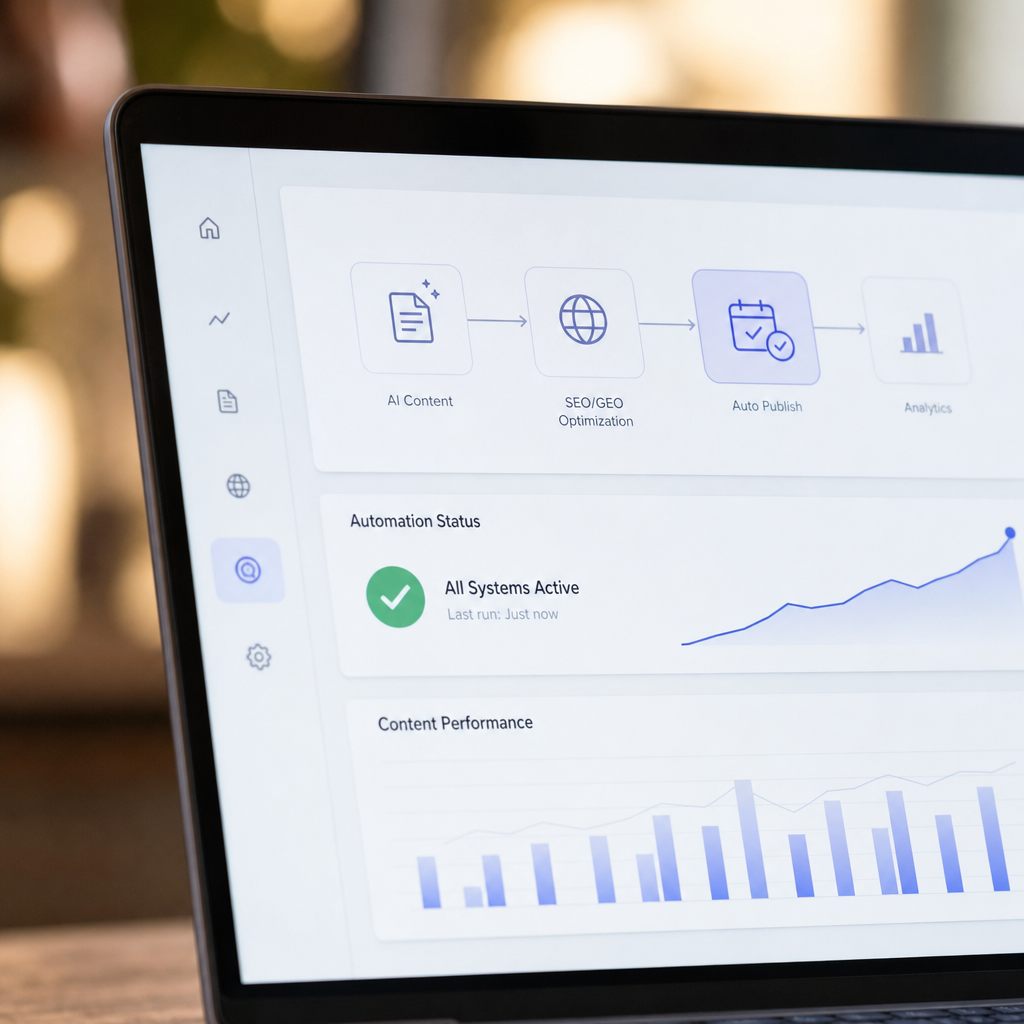
Manual Writing vs. AI Drafting Tools vs. Fully Automated Publishing
It helps to see the three common approaches side by side, since "AI content tool" gets applied to all three even though they solve very different problems.
| Approach | Who does the work | Time per article | Publishes to CMS automatically? | Ongoing cost |
|---|---|---|---|---|
| Hiring a freelance writer | Human writer + you editing/uploading | 3–7 days turnaround | No — manual upload | $100–$400 per article |
| Generic AI writing tool (ChatGPT, Jasper, etc.) | You prompt, edit, format, upload | 1–3 hours of your time | No — copy-paste required | $20–$99/month + your time |
| Fully automated AI publishing tool (e.g. FrontRank) | Software does research, writing, and publishing | ~0 minutes of your time | Yes — direct CMS integration | Flat monthly fee |
The middle column is where most people get stuck. Generic AI writers are genuinely good at producing readable sentences, but they don't know your content calendar, don't do independent keyword research tied to ranking potential, and definitely don't have permission to log into your Shopify admin and publish a post. That final 20% of the job — research strategy and CMS publishing — is exactly what separates a drafting tool from a true automation platform.
What to Look for Before Choosing One
If you're evaluating tools in this category, a few questions will quickly separate real automation from marketing copy:
- Does it connect directly to my CMS, or do I still copy-paste? Ask specifically about WordPress, Webflow, Wix, Shopify, Ghost, and Framer if that's your platform — not every tool supports all of them.
- Does it require API keys or developer setup? If you need a developer to get it running, it's not built for a small business owner's workflow.
- Does it build a content calendar, or just respond to prompts? A calendar means strategy; prompt-response means you're still doing the thinking.
- Does it do its own keyword research? Keyword tools like Ahrefs and Semrush are excellent, but someone still has to operate them and feed the output into the writing tool — unless the publishing tool does this internally.
- Can it manage multiple client sites? This matters a lot for agencies juggling several CMS accounts under one roof.
- What happens to quality at scale? Daily publishing sounds appealing until the content reads like filler. Check real published samples, not just promotional screenshots.
Agencies Face a Different Version of This Problem
Digital agencies managing content for multiple clients have a compounding version of the same issue. Writing one blog consistently is hard enough; writing five, ten, or twenty client blogs — each with its own CMS, brand voice, and keyword targets — without hiring a full content team is close to impossible manually.
This is where automated publishing tools change the agency math entirely. Instead of billing hours for a writer per client, an agency can connect each client's CMS once and let the system run in the background, freeing the agency to focus on strategy, reporting, and client relationships rather than production. A flat per-seat or per-site fee also makes margins far more predictable than freelance writer invoices that fluctuate by word count and revision rounds.

Platform Compatibility: Where Most Tools Fall Short
One of the most common frustrations business owners report is discovering, after signing up, that a tool only supports WordPress — leaving Shopify store owners, Webflow-based service businesses, or Wix users with no real path to automation. Platform coverage matters because switching CMS platforms just to use a content tool isn't realistic for most businesses.
| CMS Platform | Common Use Case | Automated Publishing Support Needed |
|---|---|---|
| WordPress | Blogs, service businesses, agencies | Native REST API publishing |
| Shopify | eCommerce stores | Blog app integration, product-linked posts |
| Webflow | Design-forward business sites | CMS collection publishing |
| Wix | Small business and local sites | Wix Blog API integration |
| Ghost | Newsletters, content-first sites | Admin API publishing |
| Framer | Modern marketing sites | CMS publishing support |
A tool that only works with one or two of these isn't a general solution — it's a workaround. FrontRank was built specifically to support all six, which matters for the eCommerce store owner on Shopify just as much as the service business running on Webflow or Wix.
What Daily Publishing Actually Does for Rankings
It's worth being honest about timelines. No tool — automated or otherwise — makes a brand-new blog rank on page one overnight. What consistent, automated publishing does is remove the two biggest reasons blogs stall out: inconsistency and abandonment. According to research from Backlinko and ongoing industry analysis from Moz, fresh, regularly updated content correlates strongly with improved crawl frequency and ranking stability over time, particularly for long-tail keyword queries that smaller businesses realistically compete for.
Daily or near-daily publishing compounds in a few concrete ways:
- More indexed pages means more chances to rank for long-tail variations of your core keywords.
- Topical depth signals to Google (and to AI assistants performing retrieval) that your site is a credible source on the subject.
- Internal linking opportunities grow with every new post, strengthening the authority of existing cornerstone pages.
- Fresh citations for AI tools — ChatGPT and similar assistants increasingly reference recently published, well-structured articles when answering user questions in a given niche.
This is the GEO angle that's become unavoidable in 2026: it's no longer just about ranking in Google's ten blue links, it's about being the page an AI assistant quotes back to a user asking a related question.
Common Objections, Answered Honestly
"Won't AI-written content get penalized by Google?" Google has been explicit that its concern is with low-quality, unhelpful content, not the method used to produce it. The Google Search Central guidance on AI-generated content confirms that well-structured, helpful content is treated on its merits regardless of how it was produced. The risk is publishing thin, generic content — not using automation itself.
"Will it sound robotic?" Quality varies enormously between tools. The better platforms write in a structured, specific, business-relevant way rather than generic filler — this is worth checking directly in sample articles before subscribing to anything.
"What if I already have a writer?" Automated tools aren't necessarily a replacement for a strong in-house voice if you have the budget for one. They solve a different problem: businesses that have no writer at all and no realistic path to hiring one, but still need the blog to exist and perform.
"Can I still control what gets published?" Most reputable tools, including FrontRank, allow review settings and brand guidelines so the content matches your business even though the production is automated.
Beyond the Blog: Where Automation Fits Into a Bigger Stack
A blog that publishes itself is one piece of a broader automation trend that's reshaping how small businesses and agencies operate without hiring large teams. The same logic that applies to content — remove the repetitive manual step, keep the strategic oversight — shows up elsewhere too. Agencies managing client finances, for instance, often turn to tools like bankstatementboss.com to automate bank statement conversion instead of manually re-entering transaction data. Similarly, businesses trying to keep a consistent flow of inbound leads organized often rely on platforms like leadmailbox.com to centralize and automate lead capture rather than monitoring five different inboxes by hand.
The pattern across all of these tools is the same: identify the task that's necessary but repetitive, and let software run it on a schedule so a small team can focus on the parts of the business that actually require a human judgment call.
Getting Started Without Overcomplicating It
If you're a small business owner or agency ready to try this, the practical path looks like this:
- Confirm the tool supports your actual CMS (WordPress, Webflow, Wix, Shopify, Ghost, or Framer).
- Connect the account — this should take one click, not a developer afternoon.
- Review the proposed content calendar and adjust for your niche if needed.
- Let the first batch of articles publish and review them live on your site.
- Check indexing in Google Search Console after a few weeks to confirm pages are being crawled.
- Let the schedule run — the entire value proposition collapses if you still have to babysit it weekly.
The businesses that get the most out of this category are the ones that treat it as genuine automation — set it up once, check in periodically, and let the schedule do the heavy lifting rather than re-approving every single draft.
The Bottom Line
An AI content tool that publishes automatically isn't about replacing good judgment with software — it's about removing the production bottleneck that keeps most small business blogs empty or abandoned after three posts. The right tool handles keyword research, writing, formatting, and the actual publish step directly inside your CMS, so the only thing left for you to do is run your business.
FrontRank was built around exactly this problem: connect your CMS in one click, and get a content calendar, keyword research, written articles, and daily publishing handled automatically — no writers to hire, no agency retainer, no copy-pasting drafts into your site. For small business owners, eCommerce stores, and agencies managing multiple client sites, that's the difference between a blog that exists on paper and one that actually shows up in Google and gets cited by AI assistants every single week.
Article written by FrontRank