
Most small business owners already know they need a blog. Search engines reward sites that publish consistently, and AI assistants like ChatGPT and Perplexity increasingly pull answers from fresh, well-structured web content. The problem isn't awareness — it's execution. Writing articles takes time nobody has, hiring a writer is expensive, and manually logging into WordPress to format and schedule every post is its own part-time job.
That's why more businesses are looking for a way to auto publish articles to WordPress: a system that researches keywords, writes the content, and pushes it live on a schedule, without a human touching the CMS at all. This article walks through what that actually looks like in 2026, how it compares to manual publishing and freelance writing, and what to check before you connect a tool to your live website.
Why Manual WordPress Publishing Breaks Down
Publishing a single blog post manually involves more steps than most people expect: keyword research, drafting, editing, formatting for the web, adding a featured image, writing a meta description, choosing categories and tags, and finally hitting publish. Do that once and it's manageable. Do it every week for a year and it becomes the reason blogs go quiet after the third post.
Consider the typical timeline for a self-managed WordPress blog:
- Week 1–2: Enthusiasm is high, two or three posts go up.
- Week 3–4: Other business priorities take over; posting slows.
- Month 2–3: The blog is updated "when there's time," which is rarely.
- Month 4+: The blog is effectively abandoned, but still listed in the site navigation.
Google's own documentation on how search ranking works makes clear that fresh, relevant content is one of many signals crawlers use to understand a site's authority and relevance. A blog that stops updating after two months sends the opposite signal — that the domain isn't an actively maintained source of new information. This is a big part of why so many well-intentioned WordPress blogs stall before they ever generate meaningful organic traffic.
What "Auto Publish" Actually Means
There's a meaningful difference between tools that merely help you write and tools that actually complete the publishing loop. When people search for a way to auto publish articles to WordPress, they typically mean a system that handles the entire pipeline without manual intervention:
- Keyword and topic research — identifying what your target customers are actually searching for.
- Content calendar planning — spacing topics out logically over weeks or months.
- Article writing — producing a full draft with headings, structure, and internal logic.
- On-page SEO formatting — title tags, meta descriptions, slugs, and heading hierarchy.
- CMS publishing — pushing the finished post directly into WordPress as a live page.
- Scheduling — repeating this process daily, weekly, or on whatever cadence you set.
A tool that only does step 3 is a writing assistant. A tool that does all six is a publishing system. FrontRank was built specifically to handle the full pipeline — connecting directly to a client's WordPress (or Webflow, Wix, Shopify, Ghost, or Framer) install and publishing finished, SEO-optimized articles on autopilot, with no API keys or copy-pasting required from the business owner.
Manual Blogging vs. Freelance Writers vs. Auto-Publishing Software
Business owners generally have three real options for keeping a blog alive. Each comes with different costs, time demands, and consistency levels.
| Approach | Time Cost to Owner | Monthly Cost | Consistency | SEO Formatting Handled? |
|---|---|---|---|---|
| Write it yourself | 4–10 hours/post | $0 direct cost | Low — first to get dropped when busy | Manual, often skipped |
| Hire a freelance writer | 1–2 hours/post (briefing, editing) | $150–$600+ per article | Medium — depends on freelancer reliability | Sometimes, varies by writer |
| Auto-publishing software | Minutes to review | Flat monthly subscription | High — runs on a fixed schedule | Built in automatically |
The freelance route is often where businesses land first, since it feels like the "professional" option. But it introduces new friction: briefing writers on your industry, editing drafts for accuracy, chasing deadlines, and managing the actual WordPress upload once the draft comes back. A digital agency managing content for ten clients faces this same friction multiplied by ten separate blogs, ten separate writers or contractors, and ten separate publishing schedules.
Software that handles keyword research, writing, and publishing in one motion removes almost all of that overhead. The only remaining task is deciding on a niche and cadence — everything downstream runs on its own.
The Technical Side: How Direct CMS Publishing Works
A common concern with any auto-publish tool is the technical setup. Historically, connecting outside software to WordPress meant generating API keys, installing plugins, and configuring authentication — tasks squarely in developer territory. WordPress's own REST API documentation shows how much configuration is technically possible under the hood, which is exactly why most non-technical business owners never attempt it themselves.
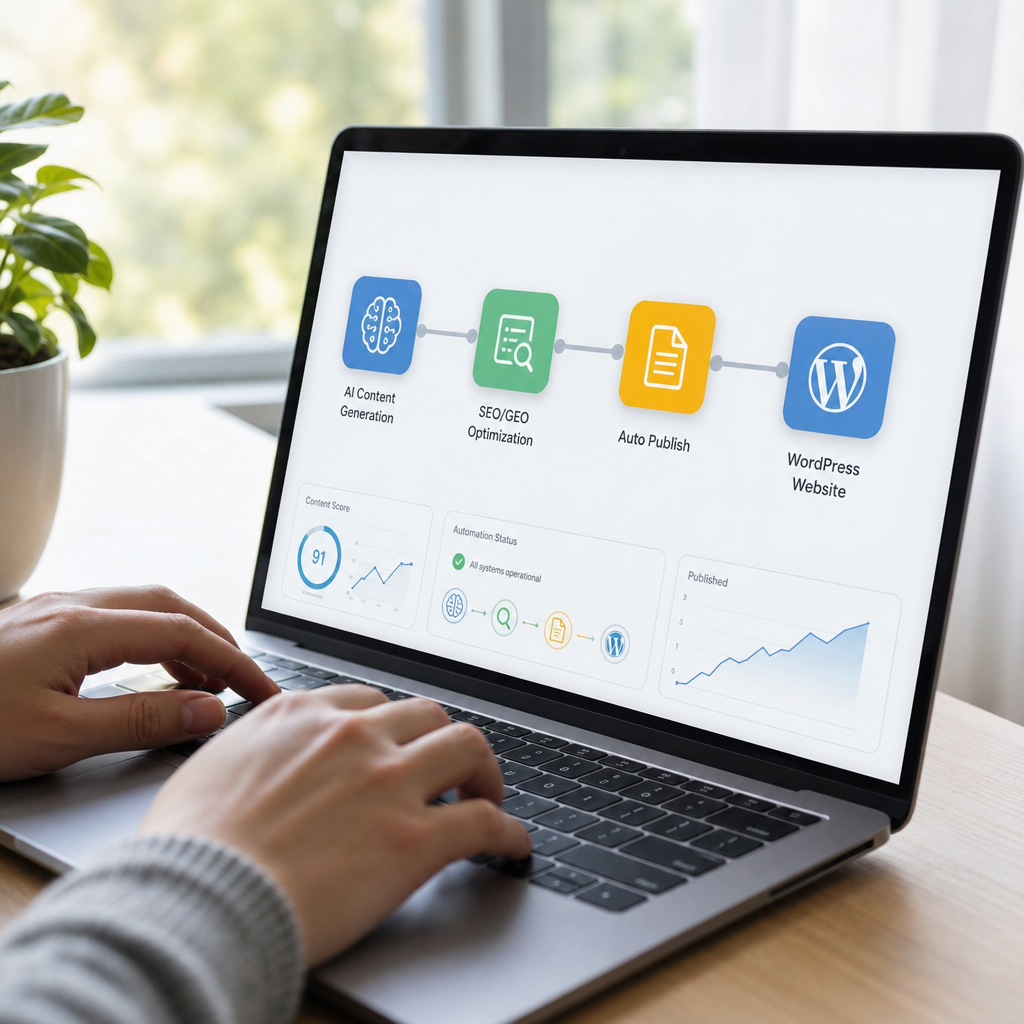
Modern platforms have simplified this considerably. Instead of asking a business owner to generate credentials, a well-built tool authenticates the connection in the background through a single login click. FrontRank, for example, is built around this exact one-click connection model: a user logs into their WordPress account, authorizes the connection, and from that point forward, articles are written and published automatically — no plugin installation, no API key copying, no developer needed.
This matters most for the audience actually asking "how do I auto publish articles to WordPress" in the first place — small business owners and agency operators, not developers. They want the outcome (a live blog that grows every week) without becoming CMS administrators in the process.
Why Consistency Matters More Than Any Single Article
It's tempting to think of blogging as a series of individual bets — write one great post and hope it ranks. In practice, search engines and AI assistants both reward domains that demonstrate ongoing topical authority, not single articles in isolation.
Search Engine Journal's reporting on content strategy and HubSpot's blogging benchmarks both point to the same conclusion: businesses that publish consistently over months build compounding organic traffic, while businesses that publish sporadically see traffic that never really takes off. A blog with 60 articles published over six months at a steady daily or near-daily cadence will typically outperform a blog with 15 articles published in scattered bursts over the same period — even if the writing quality is comparable.
This is also increasingly true for generative AI visibility. AI assistants like ChatGPT, Perplexity, and Google's AI Overviews tend to cite sources that appear frequently, consistently, and with topical depth across a subject area — a discipline sometimes called Generative Engine Optimization (GEO). A single blog post about "best running shoes for flat feet" is unlikely to get cited. A domain with forty interlinked, regularly updated articles about running gear, foot health, and shoe fitting is a much stronger candidate.
Automated publishing solves the consistency problem structurally rather than relying on willpower. Because the schedule runs independently of how busy the business owner is that week, the cadence never slips.
Setting Up an Auto-Publishing Workflow: A Practical Checklist
Before connecting any tool to a live WordPress site, it's worth walking through a short setup checklist to make sure the automation actually serves your business goals rather than just generating generic content.
Before connecting your CMS:
- Confirm who has admin access to your WordPress site and that you're comfortable granting a one-click connection.
- Decide on a general content niche or set of topics relevant to your customers.
- Set expectations internally about posting frequency — daily, three times a week, or weekly.
- Review whether the tool supports your specific CMS (WordPress, Webflow, Wix, Shopify, Ghost, Framer, etc.).
During onboarding:
- Check that the tool builds a content calendar rather than publishing random, disconnected topics.
- Confirm keyword research is included, not just article writing.
- Look for built-in meta descriptions, slugs, and heading structure — not just body text.
- Ask whether published articles are indexed and formatted properly on the first attempt, or need manual cleanup.
After the first few articles go live:
- Spot-check formatting, links, and images on the published pages.
- Monitor early indexing in Google Search Console.
- Adjust the topic list or cadence if certain themes perform better than others.
Agencies managing several client sites should pay particular attention to the calendar-building step. Without a coherent content calendar, automated publishing can produce a scattershot blog that technically posts often but never builds topical depth around any one subject — undermining the very authority-building effect that makes consistent publishing valuable in the first place.
Comparing Auto-Publishing Platforms by CMS Support
Not every automation tool supports every CMS, and this matters enormously for agencies juggling client sites built on different platforms. Here's how coverage typically breaks down across common options in the market as of 2026.
| CMS Platform | Common in Small Business Use | Typical Setup Complexity Without Automation | FrontRank Direct Publishing Support |
|---|---|---|---|
| WordPress | Very high | Medium (plugins, API keys) | Yes — one-click connect |
| Shopify | High (eCommerce) | Medium | Yes — one-click connect |
| Webflow | Medium | Medium-high | Yes — one-click connect |
| Wix | Medium | Low-medium | Yes — one-click connect |
| Ghost | Low-medium | Medium | Yes — one-click connect |
| Framer | Growing | Medium-high | Yes — one-click connect |
For a digital agency, this cross-platform support is often the deciding factor. Managing one client on WordPress, another on Shopify, and a third on Webflow historically meant learning three different publishing workflows, or hiring three different specialists. A single tool that connects to all of them the same way — one click, no API keys — collapses that complexity into a single repeatable process across every client account.

Common Objections to Automated Publishing (And How They Hold Up)
It's reasonable to be skeptical of any tool promising to handle writing and publishing end-to-end. Here are the objections that come up most often, and an honest look at each.
"AI-written content won't rank." This was a stronger objection a few years ago than it is now. Google has stated directly that its guidance focuses on content quality and helpfulness, not how the content was produced, meaning well-structured, genuinely useful articles can rank regardless of whether a human or a well-built system wrote the first draft. The quality bar hasn't disappeared — it's just no longer tied exclusively to authorship method.
"I'll lose control over what gets published." Reputable platforms build in visibility, not blind autopilot. A content calendar you can see in advance, topics generated from real keyword research, and published articles you can review after the fact all provide oversight without requiring you to personally write or manually push every post live.
"It's risky to connect a third-party tool to my live site." This is a fair concern, which is why the one-click, no-API-key connection model matters. Instead of installing plugins with broad permissions or generating credentials that could be mishandled, a clean authorization flow limits the connection to exactly what's needed: creating and publishing blog content.
"My industry is too niche for automated keyword research." Modern keyword research tools pull from real search demand data regardless of niche size. A narrow niche often makes automation more valuable, not less, since it removes the burden of manually brainstorming topics in an unfamiliar subject area.
What a Realistic Content Calendar Looks Like
To make this concrete, here's what a daily-cadence automated blog might look like over its first month for a small eCommerce store:
- Week 1 — Foundational topics: product category guides, buyer's guides, "how to choose" articles.
- Week 2 — Comparison content: product A vs. product B, brand comparisons, "best of" roundups.
- Week 3 — Use-case and problem-solving content: troubleshooting guides, seasonal tips, FAQ-driven posts.
- Week 4 — Authority-building content: industry trends, sustainability or sourcing details, customer story angles.
By the end of the first month, a business has roughly 20–30 live, indexed articles — a volume that would typically take a solo business owner most of a year to produce manually, and a meaningful budget to produce through freelance writers. This is the practical gap that automated publishing closes: not just the writing itself, but the compounding time cost of doing it manually, week after week, indefinitely.
Bringing It All Together
The businesses that succeed with content in 2026 aren't necessarily the ones with the most talented writers — they're the ones that publish consistently, cover their topic area in depth, and make it easy for both search engines and AI assistants to find and cite them. Manual publishing and freelance writers can technically get there, but both depend on ongoing human bandwidth that most small business owners and agencies simply don't have to spare.
An automated system that researches keywords, builds a calendar, writes the articles, and pushes them live — directly into WordPress or whichever CMS a client runs on — removes the bottleneck at every stage rather than just one. That's the gap FrontRank is built to close: connect your CMS in one click, and get a blog that actually keeps publishing, so your site keeps showing up in Google and getting cited by AI assistants without hiring writers or an agency to make it happen.
Article written by FrontRank