
Running one blog consistently is hard enough. Running five, fifteen, or fifty client blogs at once — each with its own voice, keywords, and CMS — is where most agencies and multi-location businesses quietly give up. The content calendar slips, a few clients get an article in a good month, others get nothing for a quarter, and eventually someone asks why the blog hasn't been touched since spring.
This is the exact problem that pushes teams to automate content for multiple client websites. Not because they want to remove humans from strategy, but because manual writing, formatting, and publishing simply doesn't scale past a handful of accounts. This article breaks down what content automation actually looks like in practice, what to automate versus what to keep human, and how to choose a system that won't produce generic, interchangeable posts across every client.
Why Manual Content Production Breaks Down at Scale
A single writer can reasonably produce four to eight solid articles a month. The moment an agency or business owner is responsible for content across multiple properties, the math stops working.
Consider the operational load for just ten client sites publishing weekly:
- 40 articles per month need topics, outlines, drafts, edits, and images
- Each CMS (WordPress, Shopify, Webflow, Wix) has different publishing quirks
- Keyword research has to stay current per client, per industry
- Formatting, internal linking, and meta descriptions need manual QA
- Someone has to track who's due for publishing and when
Most agencies respond by hiring freelance writers, but that introduces its own friction — briefing, revisions, inconsistent voice, and invoicing overhead. According to HubSpot's State of Marketing research, consistency is one of the top predictors of content ROI, yet it's also the first thing to break when teams scale headcount instead of process.
The result is predictable: blogs go stale, rankings plateau, and clients start asking why they're paying a retainer for a blog that hasn't moved in months.
What "Automating Content" Actually Means in Practice
Automation doesn't mean a single button that writes everything with zero oversight — it means removing the repetitive, non-strategic steps so a small team can manage content output that used to require many more hands.
A realistic automated content pipeline typically includes:
- Topic and keyword generation based on the client's niche and competitors
- Content calendar building, so publishing cadence is planned, not improvised
- Article drafting, written to match SEO structure and readability standards
- Formatting and on-page SEO, including headers, meta descriptions, and internal links
- Direct publishing into the client's CMS without manual copy-paste
- Reporting, so agencies can show clients what was published and when
Tools built specifically for this — like FrontRank — are designed to handle all six steps as one continuous workflow rather than six disconnected tools stitched together. That distinction matters: a keyword tool plus an AI writer plus a manual publishing step is still three points of failure, not one automated system.
Manual Workflow vs. Automated Workflow: A Side-by-Side Look
| Task | Manual Agency Workflow | Automated Content Pipeline |
|---|---|---|
| Keyword research | Analyst researches per client, weekly | Generated automatically per site |
| Content calendar | Built in spreadsheets, manually tracked | Auto-scheduled and maintained |
| Writing | Freelancer or in-house writer per article | AI-generated draft matched to brand |
| Publishing | Copy-pasted into each CMS manually | Published directly via CMS connection |
| Consistency across clients | Varies by writer availability | Uniform cadence across all sites |
| Time per article | 3–6 hours including edits | Minutes of review, no manual entry |
| Scalability | Limited by headcount | Limited only by number of connected sites |
This comparison is why so many agencies are shifting client content operations toward automated pipelines — not to cut corners, but because the manual version simply doesn't scale past a certain client count without proportional hiring.
Choosing the Right CMS-Connected Automation Approach
Not all "AI content tools" solve the same problem. Many only generate text and leave the publishing, formatting, and scheduling work to you — which still requires someone logging into every client's WordPress, Webflow, Wix, Shopify, Ghost, or Framer dashboard and pasting content in manually.
When evaluating a system to automate content for multiple client websites, look for these capabilities specifically:
- Native CMS publishing — not just export-to-Word or copy-paste text
- No API key setup required per client — agencies managing a dozen sites can't afford to configure developer credentials for each one
- Per-site keyword strategy — generic templated topics won't rank across different niches
- Scheduled, recurring publishing — not a one-time batch of articles
- SEO structure baked in — proper headers, meta descriptions, internal linking, readable formatting
- Multi-site dashboard view — a single place to see what's published, scheduled, and due across every client
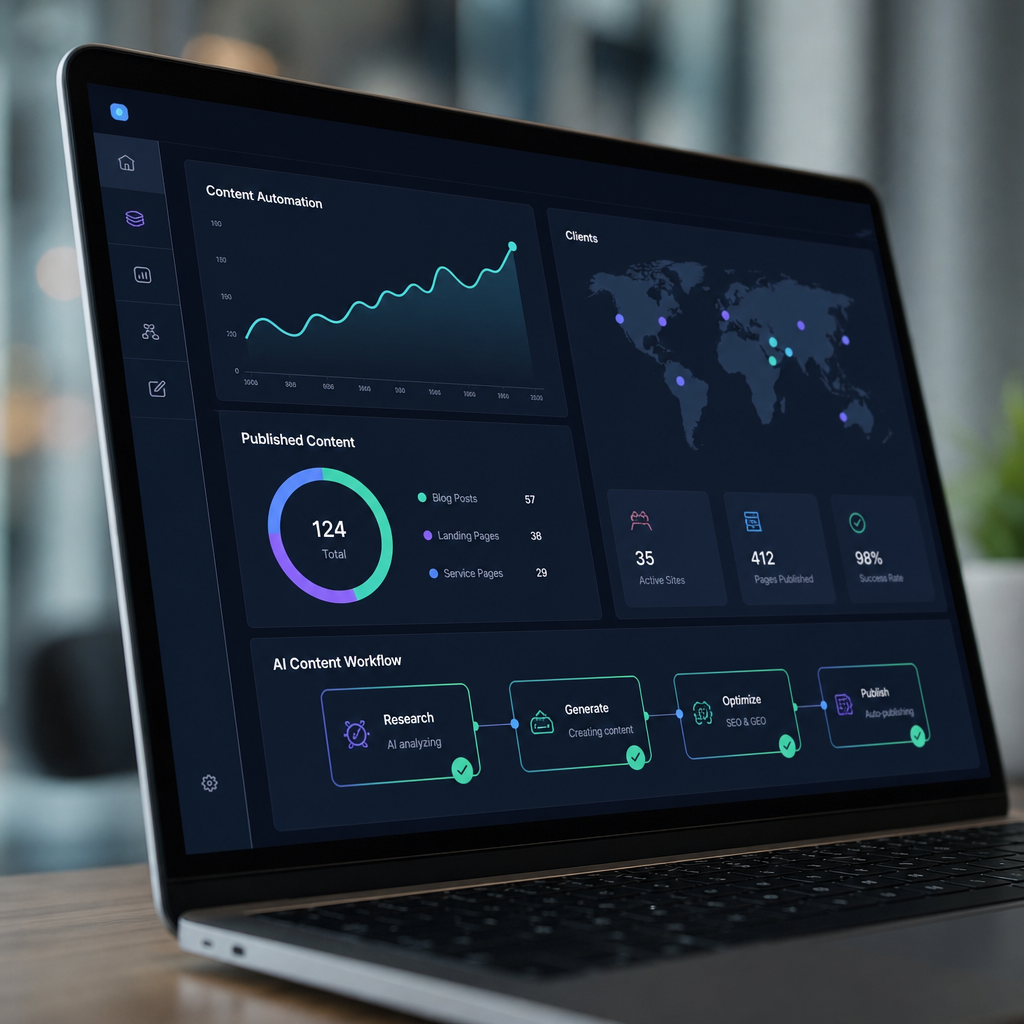
FrontRank was built around exactly this gap. Instead of generating text that someone still has to manually move into a CMS, it connects directly to a client's WordPress, Webflow, Wix, Shopify, Ghost, or Framer site in one click, then builds the calendar, writes the articles, and publishes them automatically on a daily schedule. For agencies, that means one dashboard across every client site instead of a dozen logins and manual publishing routines.
A Practical Framework for Automating Multi-Client Content
If you're responsible for content across several client websites, here's a sequence that works whether you're a solo agency owner or managing a small content team.
Step 1: Audit current publishing gaps. Pull up each client site and note the last publish date, current post count, and topical coverage. This becomes your baseline.
Step 2: Standardize the content calendar structure. Rather than planning each client's calendar from scratch, use a repeatable framework — pillar topics, supporting articles, and seasonal content — that can be generated per niche automatically.
Step 3: Connect each CMS to your automation tool. This is the step most teams underestimate. If connecting a client's site requires API keys, developer help, or manual configuration, that friction compounds across every account. A one-click connection model removes this bottleneck entirely.
Step 4: Set publishing cadence per client tier. Not every client needs daily posts. Segment by plan or goal — for example, weekly for smaller retainers, daily for clients chasing aggressive growth targets.
Step 5: Review, don't rewrite. The goal of automation is to reduce writing time, not shift it to heavy editing. Spot-check for brand tone and factual accuracy rather than rewriting drafts line by line.
Step 6: Report outcomes, not just output. Clients care about rankings and traffic, not word counts. Pair published content with basic performance tracking using tools like Google Search Console to show movement over time.
What Gets Automated vs. What Should Stay Human
A common concern among agency owners is that automation will flatten every client's content into the same generic voice. That's a valid risk — if the tool isn't built with per-site customization in mind.
Here's a reasonable way to split responsibilities:
| Function | Good Candidate for Automation | Better Left Human-Reviewed |
|---|---|---|
| Keyword discovery | Yes | — |
| Content calendar scheduling | Yes | — |
| First-draft writing | Yes | — |
| Formatting and publishing | Yes | — |
| Brand voice nuance for flagship pages | Partial | Yes |
| Legal, medical, or compliance-sensitive claims | No | Yes |
| High-stakes pillar/cornerstone content | Partial | Yes |
| Client strategy conversations | No | Yes |
This is the same logic Content Marketing Institute has pointed to in its research on AI adoption in content teams: automation works best on repeatable, high-volume tasks, while strategic and sensitive content benefits from human judgment. The goal isn't replacing editorial oversight — it's removing the repetitive 80% of the work so the remaining 20% gets real attention.
Why Automated Content Also Matters for AI Search Visibility
Search behavior has shifted. Buyers increasingly get answers from AI assistants like ChatGPT, Perplexity, and Google's AI Overviews before they ever click into a traditional search result. This is often called Generative Engine Optimization (GEO), and it depends heavily on one thing: having enough structured, regularly published, topically relevant content for AI systems to cite.
A blog that's updated sporadically — three posts this quarter, none the next — gives both Google and AI assistants very little to work with. Consistent publishing signals topical authority, and Search Engine Land has covered extensively how fresh, well-structured content correlates with better visibility in both traditional rankings and AI-generated answers.
For agencies managing multiple client sites, this raises the stakes further. A client that hasn't published in six months isn't just losing search rankings — they're becoming invisible in the answers AI tools give to potential customers. Automating the publishing cadence isn't just an efficiency play anymore; it's becoming a baseline requirement for staying discoverable at all.

Common Mistakes When Automating Content Across Client Sites
Even with the right tools, agencies and business owners run into predictable pitfalls:
- Treating all clients identically. A SaaS client and a local landscaping business need very different keyword strategies, even if the publishing mechanics are the same.
- Skipping the CMS connection step and copy-pasting anyway. This defeats the purpose of automation and reintroduces the exact bottleneck you were trying to remove.
- Over-automating sensitive topics. Legal, financial, and medical content still needs human review regardless of how good the draft is.
- Ignoring reporting. Clients will eventually ask what the blog is doing for them — automated publishing without performance tracking looks like busywork.
- Choosing tools built for solo bloggers, not agencies. Many AI writing tools support one site well but collapse under multi-site, multi-login management.
Avoiding these mistakes is less about finding a "smarter" AI model and more about picking a workflow structure designed for multi-client realities from the start.
Bringing It Together: A Realistic Automated Stack
For a small agency or business owner managing several CMS platforms, a workable automated content stack typically looks like this:
- Calendar & keyword layer — automatically generates topics per client niche
- Writing layer — produces SEO-structured drafts matched to each site's context
- Publishing layer — pushes content directly into WordPress, Webflow, Wix, Shopify, Ghost, or Framer without manual steps
- Oversight layer — a human spot-checks tone and accuracy, especially for sensitive industries
- Reporting layer — tracks what went live and how it's performing in search
This is precisely the structure FrontRank was designed around: connect a CMS in one click, let the system build the calendar and generate keywords, have it write and publish the articles on schedule, and keep a human in the loop for anything sensitive. For agencies juggling many client sites, it turns a logistics problem — who's writing what, for whom, and when — into a maintenance task that takes minutes instead of hours per site.
Final Thoughts
Automating content for multiple client websites isn't about replacing strategy or editorial judgment — it's about removing the manual bottlenecks that make consistent publishing impossible past a certain scale. Keyword research, calendar planning, drafting, formatting, and CMS publishing are all repeatable tasks that don't require a human to execute every single time, even if they benefit from human review along the way.
Agencies and business owners who get this right end up with blogs that actually stay active, rank in Google, and increasingly get surfaced by AI assistants answering customer questions. Those who keep doing it manually will keep running into the same wall: not enough hours, not enough writers, and clients whose blogs quietly go dark.
FrontRank was built specifically to solve this problem — connecting directly to a client's CMS, building the content calendar, generating the keywords, writing the articles, and publishing them automatically on a daily schedule, with no API keys and no copy-paste required. For agencies and business owners who know they need a working blog but don't have time to run one manually across multiple sites, frontrank.com turns that ongoing chore into a system that simply runs in the background.
Article written by FrontRank