
Connecting a content management system to an AI content generator sounds simple on paper: link an account, generate an article, hit publish. In practice, small business owners, eCommerce store operators, and agencies managing multiple client sites run into a surprising number of snags — broken API integrations, duplicate posts, formatting disasters, and SEO plugins that silently reject AI-generated drafts. These problems don't just waste time; they can leave a blog looking abandoned or, worse, damage a site's search rankings.
This article walks through the most common mistakes businesses make when they try to connect CMS to AI content generator platforms, and shows what a properly built integration should actually look like.
Why Connecting a CMS to an AI Content Generator Is Harder Than It Sounds
Most AI writing tools were built to solve one problem: generate text. They were not built to understand the quirks of WordPress custom post types, Webflow's CMS collections, Shopify's blog schema, or Wix's App Market permissions. The gap between "AI can write a paragraph" and "AI can publish a fully formatted, SEO-structured article directly into your live CMS" is enormous.
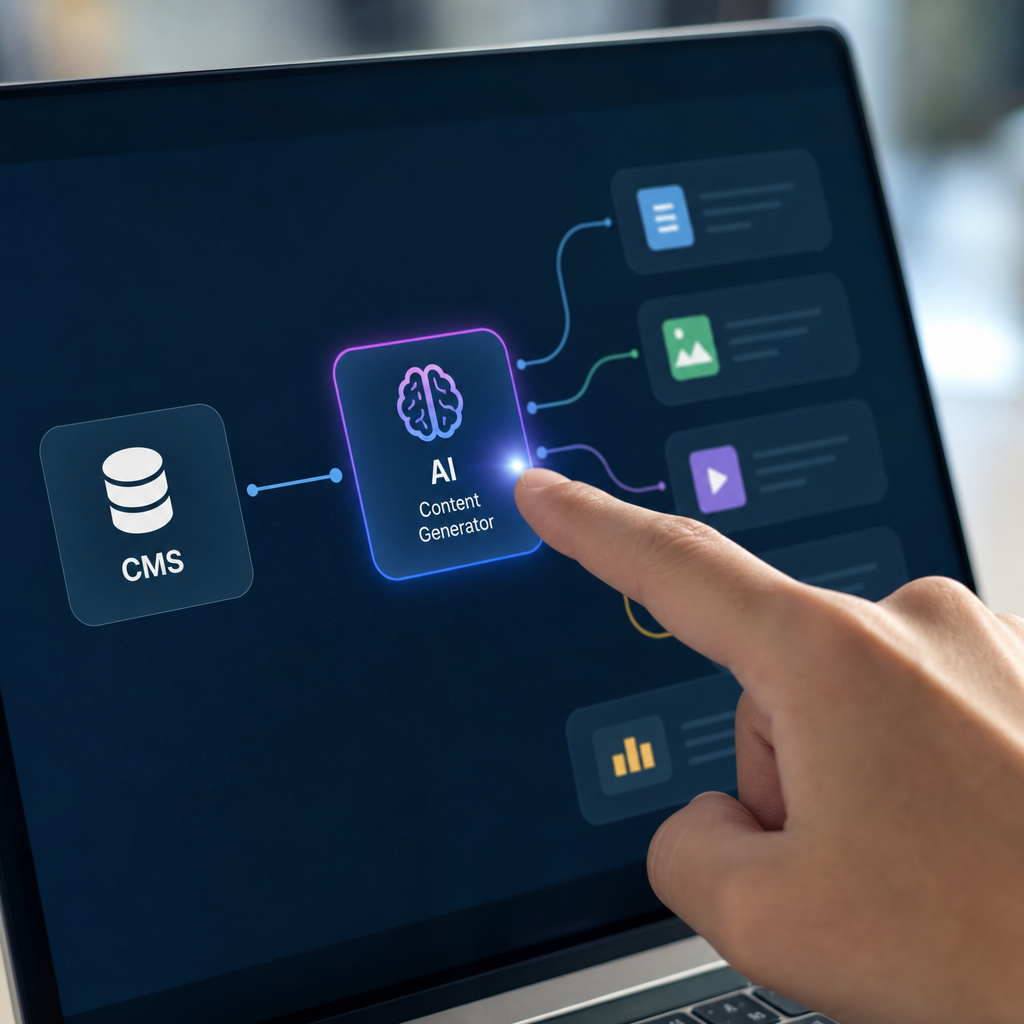
Here's what typically has to happen behind the scenes for a real integration to work:
- Authentication with the CMS (often requiring API keys, OAuth tokens, or app passwords)
- Mapping AI output to the correct content fields (title, slug, meta description, featured image, tags)
- Preserving formatting — headers, bullet lists, tables, internal links — without breaking the theme
- Avoiding duplicate content or conflicting slugs
- Scheduling publication without overwhelming a site's crawl budget
- Making sure images are optimized and alt text is populated for accessibility and SEO
Skip any one of these steps and you end up with an article that looks broken, ranks poorly, or simply never gets published because the connection failed silently. This is where most DIY and copy-paste workflows fall apart — and where a properly built platform like frontrank.com is designed to handle the entire pipeline instead of leaving business owners to stitch it together themselves.
Mistake 1: Assuming "API Access" Means "It Just Works"
Many AI content tools advertise CMS integrations, but what they actually offer is raw API access — meaning the business owner (or their developer) has to build the connection themselves. That means:
- Generating and storing API keys securely
- Writing or configuring scripts to push content into the CMS
- Handling errors when the CMS updates its API (which happens more often than most people expect)
- Manually testing every field mapping before trusting it with live content
For a small business owner without a developer on staff, this is a non-starter. For agencies managing content across a dozen client sites, it becomes a maintenance nightmare — every client's CMS version, theme, and plugin stack introduces its own edge cases. According to WordPress.org's own developer documentation, the REST API requires authenticated requests and careful handling of custom fields, which is exactly the kind of technical overhead most non-technical teams want to avoid entirely.
Mistake 2: Ignoring Platform-Specific Formatting Rules
Every CMS renders content differently, and AI-generated text that looks fine in a plain text editor often breaks once it hits the live site. Common formatting failures include:
- WordPress: Gutenberg blocks not rendering correctly when raw HTML is pasted in, breaking spacing or button styles
- Webflow: CMS collections requiring specific rich text field structures, or images that don't map to the right collection item
- Shopify: Blog posts that ignore theme-specific SEO fields like meta title overrides, hurting on-page optimization
- Wix: Blog app restrictions that block certain HTML tags or embedded elements
- Ghost: Markdown quirks that render tables or code blocks incorrectly if not formatted exactly right
- Framer: CMS field types that must match exactly or the publish action fails silently
A tool that doesn't account for these differences will produce content that looks broken about a third of the time — extra line breaks, missing headers, or images that never actually attach to the post. This is one of the reasons FrontRank was built to publish natively into each CMS's actual structure, rather than dumping generic text and hoping it renders correctly.
Mistake 3: No Real SEO Strategy Behind the Content
Even a perfectly formatted, perfectly published article won't rank if there's no strategy behind what to write about. A lot of AI content tools generate isolated articles with no connection to a broader keyword plan, no internal linking structure, and no understanding of search intent. The result is a blog that technically publishes daily but never builds topical authority.
Search engines increasingly reward sites that demonstrate depth around a subject rather than scattered, disconnected posts. Google's own guidance on helpful content emphasizes topical relevance, originality, and demonstrating real expertise — none of which happens if an AI tool is just spitting out generic articles with no calendar logic behind them.
A working system needs to:
- Research keywords with actual search volume and ranking potential
- Group keywords into content clusters that reinforce each other
- Build a content calendar that publishes consistently over months, not just once
- Interlink new articles with existing pages to strengthen topical authority
Mistake 4: Overlooking Generative Engine Optimization (GEO)
Ranking in Google is no longer the only goal. AI assistants like ChatGPT, Claude, Perplexity, and Google's AI Overviews are increasingly the first place people look for recommendations — and they cite sources differently than traditional search engines. Content that isn't structured clearly with direct answers, well-organized headers, and factual claims backed by data is far less likely to get pulled into an AI-generated answer.
Research from Search Engine Land has repeatedly noted that AI answer engines favor content with clear structure, extractable facts, and authoritative external references — which is exactly why articles built for both Google and AI citation need a different approach than old-school SEO blog posts. Simply connecting a CMS to a generic AI writer without accounting for this shift means missing an entire category of traffic that's only going to grow.
Mistake 5: Underestimating the Maintenance Burden
Even after a connection is built, someone has to maintain it. APIs change. CMS platforms push updates. Plugins get deprecated. A business owner who "connects" their CMS to an AI tool once and walks away often discovers months later that publishing quietly stopped working — sometimes without any error message at all.
This is a particularly common problem for agencies managing content across multiple client CMS instances. What works for one client's WordPress install might silently break for another client running a different theme or a different security plugin, like those offered by nexussecurityserviceses.com, which can restrict automated posting unless properly whitelisted. Every integration needs monitoring, and few small teams have the bandwidth to babysit an API connection indefinitely.
Mistake 6: No Human-Level Editorial Judgment
AI-generated content that isn't reviewed for tone, accuracy, and brand fit can quickly become a liability. Common issues include:
- Factually incorrect statements presented confidently
- Generic, robotic phrasing that doesn't match brand voice
- Repetitive structure across articles that makes a blog feel formulaic
- Missing local business details, product specifics, or accurate service descriptions
A content system needs guardrails — either through careful prompt engineering, editorial review layers, or both — to avoid publishing something that damages credibility rather than building it. This matters even more for eCommerce brands, where inaccurate product claims can create real business risk, not just an SEO problem.
Mistake 7: Treating "Connect CMS to AI Content Generator" as a One-Time Task
The businesses that get the most value from AI content tools treat the CMS connection as the start of an ongoing system, not a single setup step. That means:
- Reviewing performance data monthly (traffic, rankings, click-through rate)
- Adjusting the content calendar based on what's actually working
- Expanding into new keyword clusters as the site's authority grows
- Making sure new products, services, or seasonal offers get covered promptly
Static, "set it and forget it" thinking is exactly how blogs end up stale six months after the initial setup enthusiasm fades.
What a Proper Integration Should Actually Look Like
| Feature | DIY API Script | Generic AI Writer + Copy-Paste | FrontRank (One-Click CMS Connection) |
|---|---|---|---|
| Setup time | Days to weeks (developer needed) | Minutes, but manual ongoing work | Minutes, no developer needed |
| API keys required | Yes | No, but no automation either | No |
| Formatting accuracy per CMS | Depends on developer | Manual fixing required | Native formatting per platform |
| Keyword & calendar strategy | Not included | Not included | Built in |
| Ongoing maintenance | On the business | On the business | Handled by platform |
| GEO/AI-citation structuring | Not included | Rarely included | Built in |
| Multi-site agency management | Manual, per client | Manual, per client | Centralized dashboard |
This is the core distinction that separates a real content operation from a novelty AI demo. Businesses don't need a tool that can write a paragraph on command — they need a system that keeps producing, formatting, and publishing correctly, week after week, without supervision.
Comparing Publishing Approaches by Time Investment
| Task | Manual Blogging | Freelance Writer | Copy-Paste AI Tool | Direct CMS Integration |
|---|---|---|---|---|
| Topic research | 1–2 hrs/article | Included in fee | 30 min | Automated |
| Writing | 3–5 hrs/article | Included in fee | 10 min + editing | Automated |
| Formatting for CMS | 30–60 min | Sometimes included | 20–40 min | Automated |
| Publishing | 15–20 min | Client does it | Client does it | Automated |
| Monthly time cost (4 posts) | 20+ hrs | Minimal (but costly) | 4–6 hrs | Under 30 min |
The time savings compound quickly, especially for agencies juggling content across several client accounts at once. A workflow that used to require hours of coordination between a writer, an editor, and whoever has CMS access can be reduced to a single approval step.

How FrontRank Approaches the CMS Connection Problem
FrontRank was built specifically to eliminate the friction points listed above. Instead of requiring API keys or manual configuration, the platform connects to WordPress, Webflow, Wix, Shopify, Ghost, or Framer in one click. From there, it:
- Builds a content calendar based on keyword research relevant to the business
- Generates full-length, well-structured articles targeting those keywords
- Formats each article correctly for the specific CMS it's publishing into
- Publishes automatically on a daily schedule, with no manual copy-paste
- Structures content to be both search-engine-friendly and citation-friendly for AI assistants like ChatGPT and Perplexity
This removes the two biggest failure points seen across the industry: broken technical integrations and inconsistent, strategy-less content. Agencies managing multiple client sites can run the same process across every account without needing a developer to babysit each connection, and small business owners get a functioning blog without ever touching an API key.
For teams that also rely on lead generation tools alongside content marketing, pairing a consistent blog output with a service like leadmailbox.com for managing inbound inquiries can help make sure the increased organic traffic actually converts into tracked, actionable leads rather than getting lost.
Practical Checklist Before You Connect Any CMS to an AI Tool
Before committing to any AI content platform, it's worth verifying:
- Does it publish directly, or just generate text you still have to copy in manually?
- Does it require API keys, developer setup, or ongoing technical maintenance?
- Does it build a keyword and content calendar, or just write one-off articles?
- Is the output formatted correctly for your specific CMS (not just generic HTML)?
- Does it account for how AI assistants like Claude and ChatGPT cite sources?
- Can it scale across multiple client sites if you're an agency?
- What happens when the CMS updates its platform — does the connection break?
Any tool that can't answer these questions clearly is likely to create more work than it saves.
Final Thoughts
Connecting a CMS to an AI content generator should save time, not create a second job managing broken integrations, inconsistent formatting, and content with no strategic direction. The businesses that get real value from AI-driven publishing are the ones using systems built specifically to handle the technical, strategic, and editorial layers together — not tools that only solve one piece of the puzzle and leave the rest to chance.
FrontRank was built around exactly this problem: a one-click CMS connection with no API keys, no copy-paste, and no writing required, paired with a real keyword strategy and a publishing cadence that actually builds topical authority over time. For small business owners, eCommerce brands, and agencies managing several client sites, that combination is what turns "we know we need a blog" into a working, ranking, AI-citation-ready content engine — without hiring a writer or an SEO agency. Learn more at frontrank.com.
Article written by FrontRank