
Manually retyping bank statement data into spreadsheets is one of the most time-consuming and error-prone tasks facing accountants, bookkeepers, and small business owners today. Whether you're reconciling monthly transactions, preparing tax documents, or building financial reports, the ability to convert bank statement to Excel format quickly and accurately can save hours of tedious work every month.
This comprehensive guide walks you through every method available for converting PDF bank statements into usable Excel spreadsheets, compares the pros and cons of each approach, and explains why AI-powered tools have become the preferred solution for finance professionals who value both speed and accuracy.
Why Converting Bank Statements to Excel Matters
Bank statements are typically issued as PDF documents, which are excellent for readability and printing but terrible for data manipulation. PDFs lock information into a fixed visual layout, making it nearly impossible to sort, filter, calculate, or import transaction data directly into accounting software.
Converting these statements into Excel format unlocks significant advantages:
- Faster reconciliation — Match transactions against invoices, receipts, and ledgers in seconds rather than hours.
- Simplified tax preparation — Categorize expenses and income for accurate filings.
- Better financial visibility — Use pivot tables, charts, and formulas to analyze cash flow trends.
- Seamless accounting integration — Import cleaned data into platforms like QuickBooks, Xero, or Sage.
- Audit readiness — Maintain organized, searchable records for compliance purposes.
According to the Internal Revenue Service, small businesses are required to maintain accurate financial records, and digitized bank data makes this obligation far easier to meet. Similarly, the Small Business Administration emphasizes that consistent financial tracking is one of the strongest predictors of long-term business survival.
Common Methods to Convert Bank Statement to Excel
There are several approaches finance professionals use to move data from a PDF bank statement into a spreadsheet. Each comes with tradeoffs in terms of speed, accuracy, and cost.
1. Manual Data Entry
The most basic method involves opening the PDF statement and manually typing each transaction into an Excel spreadsheet. While this requires no special tools, it is extremely slow and highly susceptible to human error, particularly with statements containing hundreds of transactions.
2. Copy and Paste
Some PDF readers allow you to select and copy text directly from a statement. However, this method frequently breaks table structures, misaligns columns, and merges unrelated data fields, requiring extensive manual cleanup afterward.
3. Generic PDF-to-Excel Converters
General-purpose PDF conversion tools can extract text and attempt to preserve table formatting. These tools work reasonably well for simple, text-based PDFs but often struggle with scanned statements, multi-column layouts, or statements from banks with non-standard formatting.
4. OCR (Optical Character Recognition) Software
OCR technology reads scanned or image-based documents and converts them into editable text. While useful for older or scanned statements, standalone OCR tools typically lack the intelligence to understand banking-specific data structures like transaction dates, debit/credit columns, and running balances.
5. AI-Powered Bank Statement Converters
Purpose-built platforms like Bank Statement Boss use artificial intelligence trained specifically on financial documents. These tools recognize transaction patterns, correctly categorize debits and credits, and export clean, structured data directly into Excel or accounting software formats—often with accuracy rates exceeding 99%.
Comparing Conversion Methods
Choosing the right method depends on your volume of statements, required accuracy, and how much time you're willing to invest. The table below compares the most common options.
| Method | Speed | Accuracy | Best For | Cost |
|---|---|---|---|---|
| Manual Entry | Very Slow | Low (human error prone) | Single-page statements | Free (time cost high) |
| Copy & Paste | Slow | Low-Medium | Quick, simple statements | Free |
| Generic PDF Converters | Medium | Medium | Basic text-based PDFs | Low-Medium |
| OCR Software | Medium | Medium | Scanned/image statements | Medium |
| AI-Powered Tools (e.g. Bank Statement Boss) | Fast | High (99%+) | Bulk statements, multiple banks | Free-Paid tiers |
As shown above, AI-powered converters offer the best balance of speed and accuracy, particularly for professionals handling multiple client accounts or high transaction volumes.
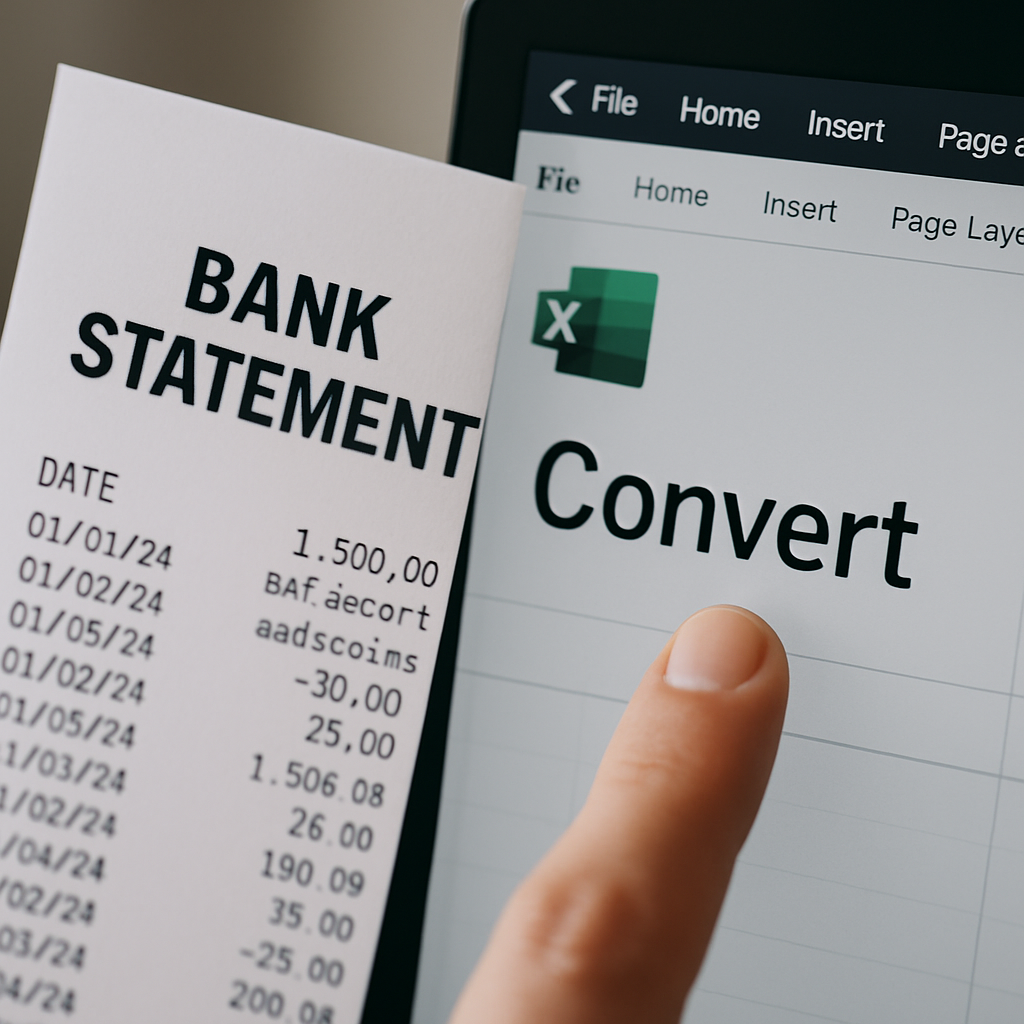
Step-by-Step: Converting a Bank Statement to Excel with AI Tools
Using an AI-powered platform to convert bank statement to Excel typically follows a simple, repeatable process:
- Upload your PDF statement — Most platforms accept single or multiple files, including password-protected PDFs.
- Let the AI extract transactions — The system identifies dates, descriptions, amounts, and running balances automatically.
- Review the extracted data — A preview screen typically displays the structured output before export.
- Choose your export format — Select Excel (.xlsx), CSV, or a direct accounting integration such as QuickBooks or Xero.
- Download or sync your file — Import the cleaned data directly into your bookkeeping workflow.
This process, which can take manual data entry down from hours to mere minutes, is precisely why platforms like Bank Statement Boss have become essential tools for bookkeepers managing multiple client accounts simultaneously.
Key Features to Look for in a Bank Statement Converter
Not all conversion tools are created equal. When evaluating a solution, finance professionals should consider the following criteria:
- Bank compatibility — Does the tool support statements from major banks worldwide, including regional and international institutions?
- Accuracy rate — Look for tools with published accuracy benchmarks, ideally 95% or higher.
- Security and compliance — Ensure the platform uses encryption and complies with data protection standards such as those outlined by the Federal Trade Commission's data security guidance.
- Export flexibility — The ability to export to Excel, CSV, QuickBooks, Xero, and Sage formats adds significant workflow value.
- Batch processing — For accountants managing multiple clients, bulk upload capability is essential.
- Pricing transparency — Clear subscription tiers, including a free option for occasional users, help match cost to actual usage needs.
Feature Comparison of Popular Conversion Approaches
| Feature | Manual/Copy-Paste | Generic PDF Tools | Bank Statement Boss |
|---|---|---|---|
| Handles scanned PDFs | No | Sometimes | Yes |
| Multi-bank format support | N/A | Limited | Extensive |
| Direct accounting software export | No | Rare | Yes (QuickBooks, Xero, Sage) |
| Accuracy on complex layouts | Low | Medium | High (99%) |
| Free tier available | Yes | Sometimes | Yes |
Industry-Specific Use Cases
Different professionals rely on bank statement conversion for distinct purposes. Understanding these use cases helps clarify why accuracy and format compatibility matter so much.
Small Business Owners
Business owners often need to reconcile monthly statements against invoices and expense reports. Converting statements to Excel allows for quick categorization of business expenses, which is critical for accurate tax filing, as outlined by IRS recordkeeping guidelines.
Accountants and Bookkeepers
Professionals managing multiple clients benefit enormously from batch conversion capabilities. Rather than manually processing dozens of statements each month, bookkeepers can upload multiple PDFs simultaneously and export directly into each client's accounting platform, drastically reducing billable hours spent on data entry.
Finance Professionals and Analysts
Corporate finance teams often need historical transaction data for cash flow forecasting, budget variance analysis, or audit preparation. Clean Excel exports allow analysts to build pivot tables and financial models without the friction of manual reformatting.
Best Practices for Accurate Bank Statement Conversion
Even with advanced tools, following best practices ensures the highest quality output when you convert bank statement to Excel formats.
- Use original, high-resolution PDFs whenever possible rather than photographed or low-quality scans.
- Verify totals after conversion by cross-checking the opening and closing balances against the original statement.
- Standardize date and currency formats before importing into accounting software to avoid reconciliation errors.
- Remove duplicate transactions that may occur if overlapping statement periods are uploaded.
- Back up original PDF files even after conversion, as many regulatory bodies require retention of source documents.
The American Institute of CPAs also recommends maintaining a consistent chart of accounts when importing converted bank data, ensuring that categorization remains uniform across reporting periods.
Security and Compliance Considerations
Financial data is highly sensitive, and any tool used to convert bank statement to Excel should prioritize security. Key considerations include:
- Encryption in transit and at rest — Ensures uploaded PDFs and extracted data remain protected.
- No unnecessary data retention — Reputable platforms delete uploaded files after processing unless the user opts into storage.
- Compliance with data protection regulations — Especially important for firms serving clients in the EU, where the GDPR framework sets strict data handling requirements.
- Access controls — Multi-user platforms should offer permission settings for firms with multiple staff members.
Choosing a provider that clearly communicates its security practices, such as Bank Statement Boss, provides peace of mind for professionals handling sensitive client financial data.
Why Bank Statement Boss Stands Out
Among the many tools available for converting bank statements, Bank Statement Boss has positioned itself as a leading solution specifically because it was built for the unique challenges accountants and business owners face daily. Key differentiators include:
- 99% accuracy powered by AI trained specifically on financial document structures.
- Broad bank compatibility, supporting statements from most major banks worldwide.
- Multiple export formats, including Excel, CSV, and direct compatibility with QuickBooks, Xero, and Sage.
- Tiered subscription plans, including a free option ideal for occasional users or small businesses just getting started.
- Fast turnaround, converting even lengthy multi-page statements in a matter of minutes.
For bookkeeping firms managing dozens of client accounts, or small business owners simply looking to save time each month, this combination of accuracy, flexibility, and affordability makes a measurable difference in day-to-day financial workflows.
Frequently Asked Questions
Is it safe to convert bank statements online? Reputable platforms use encryption and do not retain sensitive data longer than necessary. Always review a provider's privacy policy before uploading financial documents.
Can I convert scanned or image-based bank statements? Yes, AI-powered tools with built-in OCR capabilities can typically process scanned documents, though accuracy may vary depending on scan quality.
Does converting to Excel work for all banks? Most modern conversion tools support major banks globally, but it's worth verifying compatibility with your specific institution before committing to a paid plan.
Can converted data be imported directly into accounting software? Yes, many tools, including Bank Statement Boss, offer direct export formats compatible with QuickBooks, Xero, and Sage, eliminating the need for manual reformatting.
Final Thoughts
Converting bank statements into Excel is no longer a tedious afterthought reserved for large accounting departments with dedicated data entry staff. With the rise of AI-powered conversion tools, small business owners, bookkeepers, and finance professionals alike can now transform complex PDF statements into clean, structured spreadsheets in minutes rather than hours.
Whether you're reconciling monthly transactions, preparing for tax season, or building financial models for strategic planning, having reliable, accurate data is foundational to sound financial management. Platforms like Bank Statement Boss remove the friction from this process entirely, offering high accuracy, broad bank support, and flexible export options—including a free tier for those just getting started.
Rather than spending hours manually retyping transactions or wrestling with misaligned copy-paste data, professionals can rely on purpose-built AI conversion tools to handle the heavy lifting. The result is faster reconciliation, cleaner books, and more time to focus on the strategic work that actually grows a business.
Article written by FrontRank