
Most small business owners don't struggle to understand why they need a blog. They struggle with the mechanics: who writes it, who uploads it, who optimizes it, and who keeps doing that every single week for a year. That last part is where almost every blogging plan quietly dies. The good news is that publishing blog posts automatically is no longer a developer-only trick involving custom scripts and API keys — it's become a mainstream workflow that any business owner can set up in minutes.
This article walks through exactly how automatic blog publishing works, what tools make it possible, and how to avoid the common mistakes that cause automated blogs to produce content nobody reads — or worse, content Google ignores entirely.
Why Manual Publishing Breaks Down for Busy Teams
Publishing a single blog post manually involves more steps than people expect. You need a topic, keyword research, a draft, an edit pass, formatting, an image, internal links, a meta description, and finally the act of logging into your CMS to paste it all in and hit publish. Multiply that by once a week for a year, and you're looking at 50+ repetitions of a process that most teams only do occasionally — which is exactly why it gets skipped.
Here's what typically happens inside a small business or agency trying to blog manually:
- The founder writes a few posts in a burst of motivation, then stops for three months.
- A freelancer is hired, delivers inconsistent quality, and needs to be replaced.
- An employee is handed "blogging" as a side task and deprioritizes it the moment real work piles up.
- An agency promises content but delivers two posts a month at a price that doesn't scale across 20 clients.
According to HubSpot's research on blogging frequency, companies that publish consistently see significantly more organic traffic than those that post sporadically. Consistency, not brilliance, is the variable that actually moves rankings over time. That's precisely the variable manual workflows fail to deliver.
What "Publishing Blog Posts Automatically" Actually Means
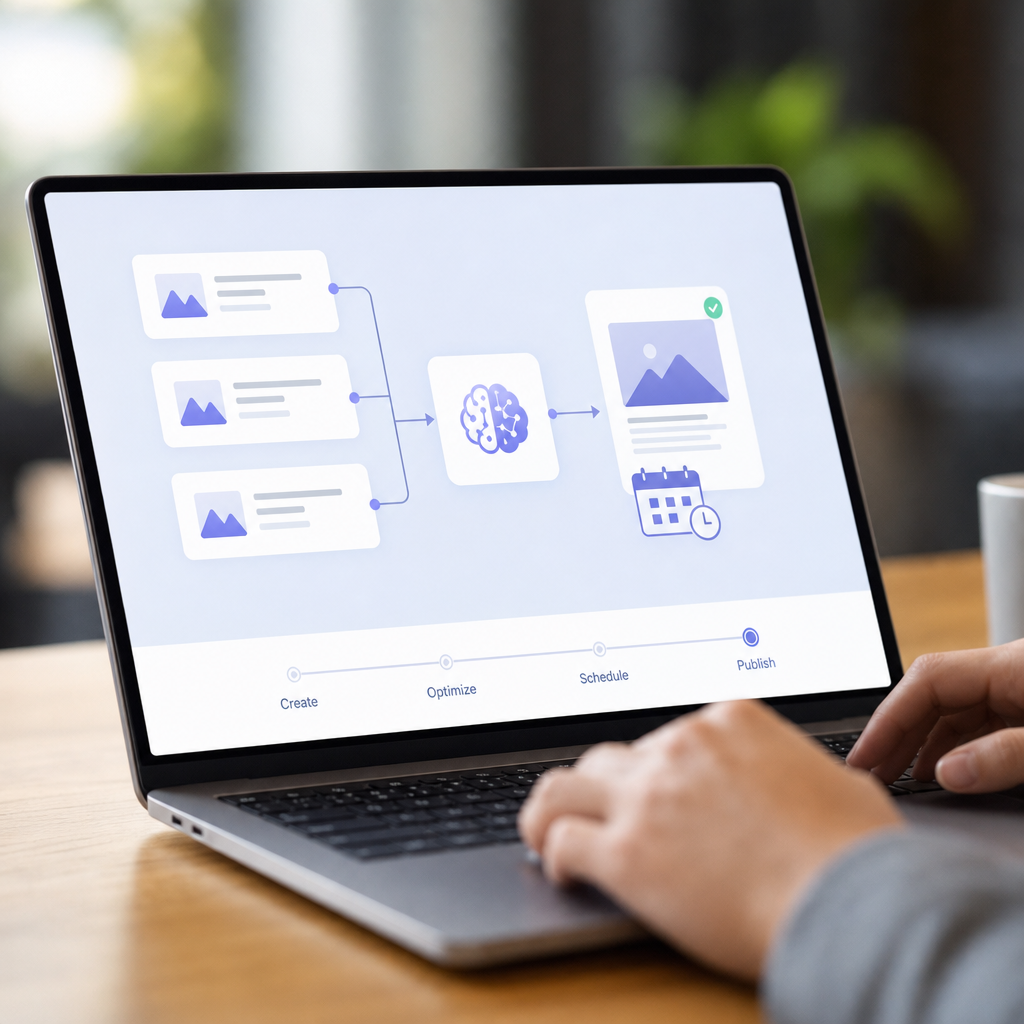
Automatic publishing isn't just scheduling a post you already wrote inside WordPress to go live later. True automation covers the entire pipeline:
- Topic and keyword generation — identifying what your audience is searching for.
- Content calendar planning — spacing topics out logically over weeks or months.
- Article writing — producing a complete, structured, SEO-formatted draft.
- On-page optimization — titles, meta descriptions, headers, internal links, image alt text.
- Direct publishing into your CMS — no copy-paste, no manual upload.
- Ongoing repetition — doing all of the above daily or weekly without a human restarting the process each time.
Tools built for this, like FrontRank, connect directly to your CMS — WordPress, Webflow, Wix, Shopify, Ghost, or Framer — and handle every one of these steps on a recurring schedule. You're not exporting documents or managing an SEO dashboard; the article simply appears, published, in your blog.
The Core Methods for Automated Blog Publishing
There are a few broad approaches businesses take when they decide to automate blog publishing. Each comes with different tradeoffs in cost, control, and quality.
1. Native CMS Scheduling
Every major CMS — WordPress, Shopify, Webflow — lets you write a post and schedule it for a future date. This solves the "publishing" step but does nothing for the "writing" step. You still need a human to produce the content; the CMS just automates the timing.
2. Zapier or Make.com Workflows
Technically minded teams sometimes stitch together a workflow: a spreadsheet of topics triggers an AI writing tool via API, which then pushes the output into the CMS through another integration. This works, but it requires:
- API key management for multiple tools
- Ongoing maintenance when any connected app changes its interface
- Manual QA, since raw AI output without structure or internal linking strategy often reads generically
This path suits developers who enjoy building and maintaining tooling. For a retail store owner or a solo marketer at an agency, it's usually more complexity than it's worth.
3. Dedicated AI SEO Publishing Platforms
Purpose-built platforms like FrontRank are designed specifically to remove the technical steps. You connect your CMS with a one-click integration — no API keys, no developer required — and the platform handles keyword research, writing, formatting, and publishing on an ongoing schedule. This is the closest thing to "set it up once, get a blog forever."
Comparing the Approaches
| Method | Setup Time | Technical Skill Needed | Ongoing Effort | Content Quality Control |
|---|---|---|---|---|
| Native CMS scheduling | Low | None | High (still writing manually) | Depends entirely on writer |
| Zapier/Make.com custom workflow | High | Moderate-High | Medium (maintenance required) | Variable, needs manual editing |
| Hiring a freelance writer | Medium | None | Medium (management overhead) | Depends on writer, inconsistent |
| Dedicated AI publishing platform (e.g. FrontRank) | Low | None | Very low | Consistent, built-in SEO structure |
The pattern is clear: the more a solution removes technical setup, the less ongoing effort it demands from you — provided the platform itself is built with SEO fundamentals baked in, not just generic AI text generation.
Step-by-Step: Setting Up Automatic Blog Publishing
If you want a practical path to follow, here's how most businesses move from "no blog" to "fully automated blog" in a short period.
Step 1: Audit your current CMS setup. Confirm which platform your site runs on — WordPress, Shopify, Webflow, Wix, Ghost, or Framer — since this determines which publishing tools will connect cleanly.
Step 2: Define your niche and audience intent. Even automated tools need a starting point. Think about what your customers actually type into Google before they buy from you, not just your product names.
Step 3: Connect your CMS to a publishing tool. With a platform like FrontRank, this is a one-click authorization — you're not pasting API tokens or configuring webhooks.
Step 4: Let the tool build a content calendar. Rather than guessing topics week to week, a good system generates a structured calendar based on keyword research and search intent, spacing out pillar posts and supporting posts logically.
Step 5: Review the publishing cadence. Decide whether daily, three-times-a-week, or weekly publishing fits your goals and resources. Daily publishing accelerates results but should still prioritize relevance over sheer volume.
Step 6: Monitor performance, not process. Once automation is running, your job shifts from "writing the blog" to "watching what's working" — checking which posts bring traffic, which keywords are climbing, and whether conversions follow.
Step 7: Let AI citation visibility grow alongside SEO. As AI assistants like ChatGPT, Perplexity, and Google's AI Overviews increasingly pull from well-structured, authoritative blog content, consistent publishing also improves your odds of being cited directly in AI-generated answers — a discipline now commonly called GEO (Generative Engine Optimization).
What Makes an Automated Post Actually Rank
Publishing automatically is meaningless if the content itself doesn't satisfy search intent or follow basic SEO structure. Automation should enhance quality control, not bypass it. The posts that perform well — whether written by a human or generated through an automated pipeline — tend to share several traits documented in Google's own search quality guidelines:
- Clear, specific titles that match what someone is actually searching for
- Logical heading structure (H2s and H3s) that search engines and AI crawlers can parse
- Internal links connecting related articles and service pages
- Original insight or practical specificity, not generic filler
- Proper formatting: short paragraphs, lists, and tables that improve readability and scannability
- Meta descriptions and alt text that reinforce the target keyword without stuffing
A platform worth using should check every one of these boxes automatically, on every single post, without you having to remember to ask for it.
Comparing the True Cost of Each Option
Cost is often the deciding factor, but the sticker price alone doesn't tell the whole story. Here's a more complete comparison based on typical monthly costs for producing roughly 20-30 blog posts a month — a reasonable pace for meaningful SEO growth.
| Option | Typical Monthly Cost | Posts per Month | Management Needed | Consistency Risk |
|---|---|---|---|---|
| In-house writer (part-time) | $2,000–$4,000 | 8–12 | High (hiring, editing, direction) | Medium — turnover, burnout |
| Freelance writers (multiple) | $1,500–$5,000 | 10–20 | High (sourcing, briefs, edits) | High — variable quality and reliability |
| SEO agency retainer | $2,500–$10,000+ | 4–8 | Medium (approvals, calls) | Medium — slower cadence |
| AI publishing platform (e.g. FrontRank) | Flat monthly subscription | Daily or scheduled | Low (review only) | Low — runs on autopilot |
The appeal of an automated platform isn't just cost savings — it's the removal of management overhead. Hiring and directing writers is itself a job. For a small business owner already juggling operations, sales, and customer service, or for an agency managing content across a dozen client sites, that overhead is often the real reason blogging never gets off the ground.

Automated Publishing for Agencies Managing Multiple Clients
Agencies face a version of this problem that's multiplied by every client on their roster. Each client needs their own keyword strategy, their own content calendar, and their own CMS connection — and most agencies simply don't have the writer bandwidth to do this well at scale without either raising prices dramatically or cutting corners on quality.
This is where automated publishing tools built for multi-site use become especially valuable. Instead of assigning a writer to each account, an agency can connect each client's CMS individually and let the system run independent content calendars simultaneously. This changes the agency's role from "content producer" to "content strategist and reviewer" — a far more scalable position. It also opens the door to offering blog content as a bundled service without the margin-killing cost of a full writing team, something increasingly necessary as clients expect SEO and content marketing to be table stakes rather than an upsell.
Common Mistakes to Avoid When Automating Your Blog
Automation removes manual labor, but it doesn't remove the need for judgment. A few mistakes consistently undermine otherwise well-automated blogs:
- Publishing without a coherent calendar. Random topics with no thematic connection confuse both readers and search engines about what your site is actually about.
- Ignoring internal linking. Automated posts that don't link to each other or to your product/service pages waste an enormous amount of potential SEO value.
- Choosing volume over relevance. Ten highly relevant posts a month will usually outperform thirty generic ones that don't match real search intent.
- Never reviewing analytics. Even a fully automated system benefits from a monthly check-in on what's ranking and what isn't, so strategy can adjust over time.
- Treating automation as "set and forget" forever. The publishing can run unattended, but search intent, competitors, and your own product line change — occasional strategic review keeps the content calendar relevant.
Avoiding these pitfalls is largely a matter of choosing a system that was actually designed for SEO outcomes, not just text generation. This is the core distinction between generic AI writing tools and platforms purpose-built for automated publishing, like FrontRank, which builds the strategy layer — calendar, keywords, structure — directly into the automation rather than leaving it to the user.
How Long Before You See Results
Blog SEO is not instant, automated or not. Ahrefs' analysis of ranking timelines found that most pages which eventually rank in the top 10 take several months to get there, even with strong content. Automating the publishing process doesn't bypass this timeline — but it does ensure you're actually accumulating the volume of indexed, optimized content needed to compete, rather than losing months to inconsistent manual output.
A realistic expectation:
- Weeks 1–4: Content calendar built, initial posts published and indexed.
- Months 2–3: Early keyword rankings appear, typically for lower-competition, longer-tail terms.
- Months 4–6: Traffic compounds as the content library grows and internal linking matures.
- Month 6+: Established topical authority starts attracting both search rankings and citations from AI assistants pulling from well-structured, consistently published content.
The businesses that benefit most are the ones that stay consistent through the early, quiet months — which is precisely the phase where manual blogging efforts usually collapse from fatigue.
Getting Started Without the Technical Overhead
If you've read this far, you already understand the theory. The practical next step is choosing a system that matches your actual constraints: no writing team, no developer, no time to manage a content calendar by hand. FrontRank was built around exactly that constraint. You connect your CMS in one click, and the platform builds your content calendar, researches keywords, writes the articles, and publishes them directly into WordPress, Webflow, Wix, Shopify, Ghost, or Framer — on a daily schedule, without API keys or copy-pasting anything.
For a small business owner, that means a blog that actually exists a year from now, not just for the first motivated month. For an agency, it means offering real content output across every client site without hiring a writing team to support it. Automatic publishing isn't about replacing good judgment — it's about removing the repetitive manual work that quietly kills most blogging efforts before they ever have a chance to compound into real search visibility.
Article written by FrontRank