
Wix has quietly become one of the most popular platforms for small businesses and eCommerce stores, and its native blog editor has made "just start a blog" sound simple. But once owners try to automate that blog — to get consistent posts without hiring a writer — things often go wrong in ways that aren't obvious until traffic stalls or rankings never move. Wix blog automation is genuinely powerful when set up correctly, but it's also easy to misconfigure, and the mistakes are rarely visible until months of wasted effort have already piled up.
This article walks through the seven most common pitfalls business owners and agencies run into when automating a Wix blog, why each one matters for search visibility, and what a properly automated setup should look like instead.
Why Wix Owners Turn to Blog Automation in the First Place
Most Wix users didn't build their site to run a media company. They built it to sell products, book clients, or promote a local service. Blogging gets added to the to-do list because everyone knows content marketing drives organic traffic, but almost nobody on a small team has the bandwidth to research keywords, write posts, format them, and publish on a schedule week after week.
That's the appeal of automation: a system that plans topics, writes the article, and publishes it directly into Wix without someone manually copy-pasting HTML or fighting with the Wix blog dashboard every Monday morning. Done well, this turns an empty blog tab into a steady stream of indexed pages that compound in value over time. Done poorly, it creates a graveyard of thin, repetitive, or off-brand posts that Google — and increasingly AI answer engines — simply ignore.
Mistake 1: Treating "Automated" as "Unsupervised"
The biggest misconception is that automation means nobody ever looks at the blog again. Some tools generate content in bulk and dump it into a queue with zero regard for whether it fits the brand's voice, product line, or actual customer questions. The result is a blog that technically publishes on schedule but reads like it was written for no one in particular.
Good automation still needs:
- A content calendar aligned with the business's actual products, seasons, and customer intent
- Keyword research that reflects real search demand, not generic industry terms
- A publishing cadence that matches what the site can sustain long-term
Automation should remove the manual labor, not the strategy. A system like FrontRank is built around this distinction — it builds the calendar and keyword targets automatically, but the output is still strategic, topic-relevant content rather than random filler.
Mistake 2: Ignoring How Wix Handles SEO Metadata
Wix has its own quirks around meta titles, meta descriptions, slugs, and canonical tags. Many automation tools are built primarily for WordPress and treat every CMS the same way, which means metadata gets mangled, truncated, or left blank when pushed into Wix. This is a silent killer: a perfectly good article can rank poorly simply because the meta description is empty or the URL slug is an auto-generated string of numbers.
Before automating anything, confirm the tool actually understands Wix's structure — not just its blog editor, but its SEO panel, its handling of structured data, and its URL conventions. Wix's own SEO documentation is a useful baseline for what should be getting filled in on every post.
Mistake 3: Publishing Without a Real Content Calendar
A shockingly common failure mode is a Wix blog that posts three articles in one week, then goes silent for two months. Automation should mean consistency, not just occasional bursts of output. Search engines and readers both respond better to steady publishing patterns than to erratic ones.
| Publishing Pattern | Typical Outcome |
|---|---|
| 3 posts, then 8-week gap | Indexing stalls, topical authority never builds |
| 1 post every 2 weeks, indefinitely | Slow, steady growth, hard to sustain manually |
| 1 post daily, fully automated | Fastest topical authority build, needs a real system |
| Random bursts around launches only | Looks unmaintained to Google and readers |
A daily or near-daily cadence, sustained for months, is what actually builds the kind of topical depth that ranks. That's difficult to pull off by hand, which is exactly the gap tools like FrontRank's Wix integration were built to close — connecting a Wix site in one click and publishing on schedule without anyone touching an API key or a content brief.
Mistake 4: Choosing Keywords With No Buyer Intent
Automation makes it tempting to generate huge volumes of keywords and let the software churn out an article for each one. But volume without intent is wasted effort. A store selling handmade ceramics doesn't need a blog post targeting "history of pottery" if nobody searching that term is anywhere near a purchase decision.
Effective keyword selection for an automated blog should prioritize:
- Commercial and informational terms tied to what the business actually sells
- Questions real customers ask before buying (comparison posts, "how to choose," "is X worth it")
- Local or niche long-tail terms with lower competition but clear relevance
- Topics that naturally support internal linking to product or service pages
Tools that skip this step and just chase search volume tend to produce a blog full of traffic that never converts — and worse, dilutes the site's topical focus in the eyes of search engines.
Mistake 5: Overlooking Duplicate or Thin Content Risk
Some automation platforms generate content from templates, swapping out a few variables between posts. On a Wix blog, where the platform already has some default formatting patterns, this can produce posts that look suspiciously similar to each other — a red flag for Google's helpful content guidance, which explicitly penalizes content produced primarily to manipulate rankings rather than serve readers.
Signs a blog automation tool is producing risky content:
- Articles under 500 words with no real depth
- Near-identical structure and phrasing across posts
- No original insight, examples, or data — just rephrased summaries
- No internal links to the store's actual products or services
A properly built system generates each article independently, researching the topic and structuring it around genuine reader value, not a fill-in-the-blank template. This is also increasingly important for visibility in AI-generated answers: generative engines pull from content that demonstrates depth and originality, not recycled boilerplate.
Mistake 6: No Plan for Internal Linking or Product Integration
A blog that lives in total isolation from the rest of a Wix store is a missed opportunity. Every article should ideally link back to relevant collection pages, product pages, or service pages, both for SEO equity and for actually converting blog readers into customers. Many automation setups publish standalone posts with no awareness of the site's broader structure, which means the blog grows but the store's core pages see none of the benefit.
Before automating, check whether the tool:
- Can identify and link to existing product or service pages contextually
- Avoids linking to out-of-stock or deleted pages
- Builds a logical internal link structure between related blog posts over time
This is one of the more technical pieces to get right, and it's where a lot of "set and forget" tools fall short — they publish in a vacuum instead of treating the blog as part of a connected site.
Mistake 7: Assuming One-Time Setup Is Enough
Wix updates its editor, its SEO tools, and its app marketplace regularly. An automation connection that worked fine at setup can quietly break after a platform update — broken image embeds, misformatted headers, or posts that stop publishing altogether. Business owners who "set it and forget it" sometimes don't notice for weeks that nothing new has gone live.
A reliable Wix blog automation setup should:
- Confirm each post actually published successfully, not just that it was generated
- Maintain compatibility as Wix updates its platform
- Send some form of confirmation or report so the business owner isn't left guessing
This is part of why FrontRank's approach emphasizes a genuine one-click CMS connection rather than a fragile API workaround — fewer moving parts means fewer silent failures down the line.
What Good Wix Blog Automation Actually Looks Like
Once the common mistakes are out of the way, it's worth being concrete about what a well-built automated blogging system should deliver for a Wix site. The goal isn't just "posts appear on a schedule" — it's a blog that functions as a real, compounding SEO asset.
| Component | Manual Blogging | Poor Automation | Proper Automation |
|---|---|---|---|
| Keyword research | Time-consuming, inconsistent | Volume-focused, low intent | Intent-driven, tied to products |
| Writing | High quality, unsustainable pace | Templated, thin, repetitive | Original, in-depth, on-brand |
| Publishing | Manual copy-paste into Wix | Bulk dump, no QA | Direct one-click publish, verified |
| Metadata | Often forgotten | Frequently broken | Automatically optimized per post |
| Internal linking | Rarely prioritized | Absent | Built into the content plan |
| Consistency | Depends on available time | Erratic bursts | Daily or scheduled cadence |
The difference between the "poor automation" and "proper automation" columns is really the difference between a blog that quietly damages a brand's credibility and one that becomes a genuine growth channel. For small business owners and agencies managing several client sites at once, that distinction matters even more, since mistakes get multiplied across every site under management.

How Agencies Should Approach Wix Blog Automation Across Multiple Clients
Agencies face a slightly different version of this problem: they aren't automating one blog, they're trying to maintain dozens, often across different CMS platforms including Wix, WordPress, Shopify, and Webflow. Manually managing that volume of content is effectively impossible without either a large writing team or serious burnout.
For agencies, the priorities shift slightly:
- Consistency across clients — every client blog needs to look intentional, not like it was generated from the same template with the brand name swapped in.
- CMS flexibility — a tool that only works with Wix is a dead end the moment a new client arrives on Shopify or Webflow.
- Low setup overhead — agencies can't spend hours configuring API keys and custom fields for every single client account.
- Reporting visibility — client-facing teams need to be able to show what's been published and how it's performing, without digging through a dashboard.
This is precisely the use case FrontRank was designed around: connecting a client's CMS — whether that's Wix, WordPress, Webflow, Shopify, Ghost, or Framer — in a single click, then handling the calendar, the keyword research, the writing, and the publishing automatically. For an agency managing content across many client sites, that consistency is often more valuable than any individual article's word count.
Measuring Whether Automated Blogging Is Actually Working
None of this matters if there's no way to tell whether the automated blog is producing results. Business owners should track a small set of metrics rather than obsessing over vanity numbers:
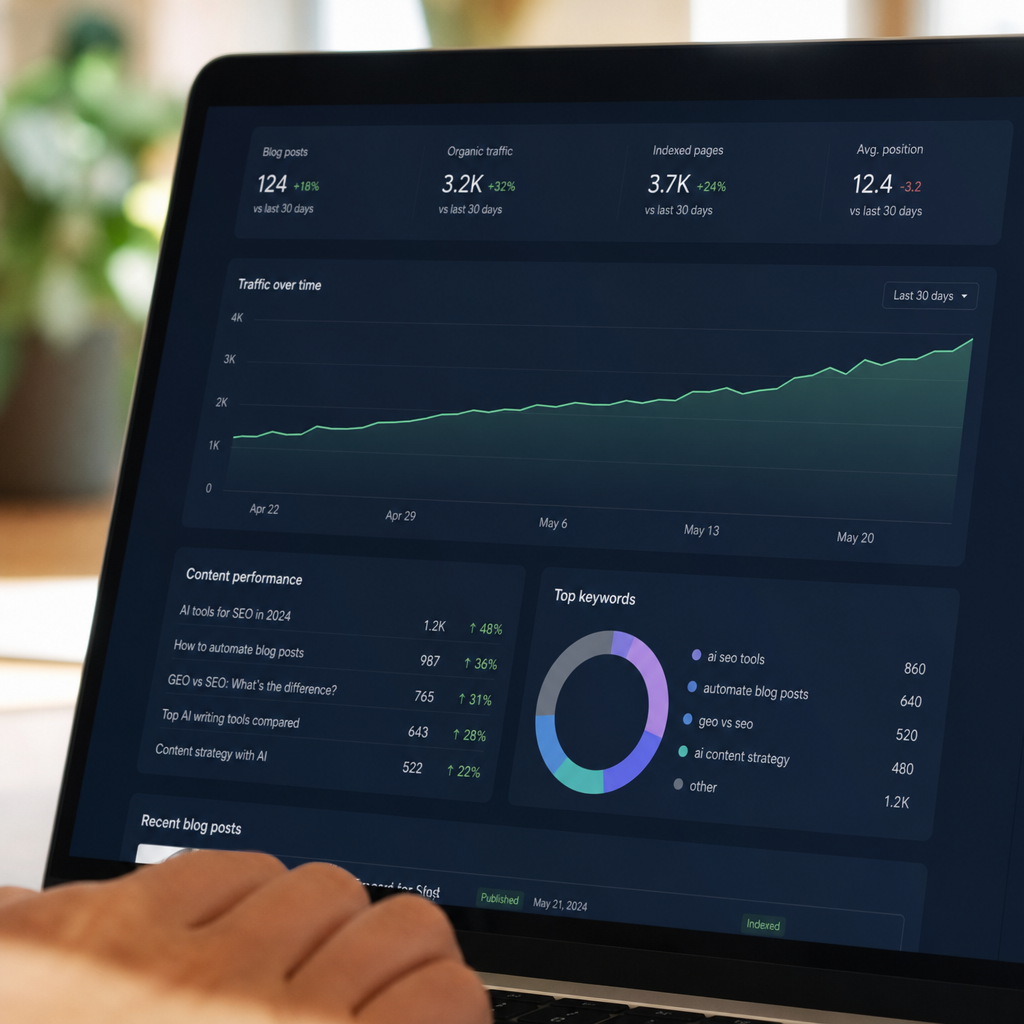
- Indexed pages — are the new posts actually showing up in Google's index, or stuck unindexed?
- Organic impressions and clicks — visible in Google Search Console, this is the clearest signal that content is being found.
- Ranking movement on target keywords — are the terms chosen for each post actually climbing over weeks and months?
- On-site engagement from blog traffic — are blog visitors clicking through to product or service pages?
- Citations in AI answers — increasingly relevant as tools like ChatGPT and Google's AI Overviews summarize content from indexed blogs rather than sending clicks directly.
If none of these are moving after a few months of consistent publishing, it's worth revisiting whether the automation setup has fallen into one of the seven mistakes above — particularly keyword intent and content depth, which tend to be the biggest levers.
Closing Thoughts
Wix blog automation isn't inherently risky — the risk comes from treating automation as a shortcut that removes strategy along with the manual labor. The businesses that get real value from an automated blog are the ones that still care about keyword intent, metadata, internal linking, and consistency, even though they're no longer the ones typing every word.
For small business owners, eCommerce stores, and agencies who know they need a blog but don't have the time, team, or budget for a full content operation, the goal isn't to do less strategy — it's to remove the manual bottleneck while keeping the strategy intact. That's the gap FrontRank is built to close: connecting a Wix store in one click and handling the calendar, keyword research, writing, and daily publishing automatically, so the blog actually works as an SEO asset instead of becoming another abandoned tab in the Wix dashboard.
Article written by FrontRank